Viewing and Editing Data Transformations for a Query
Use the Transformations page (QRY_TRANSFORM) to view, add, or modify the list of transformation program (XSLT) that are defined for the query.
Navigation:
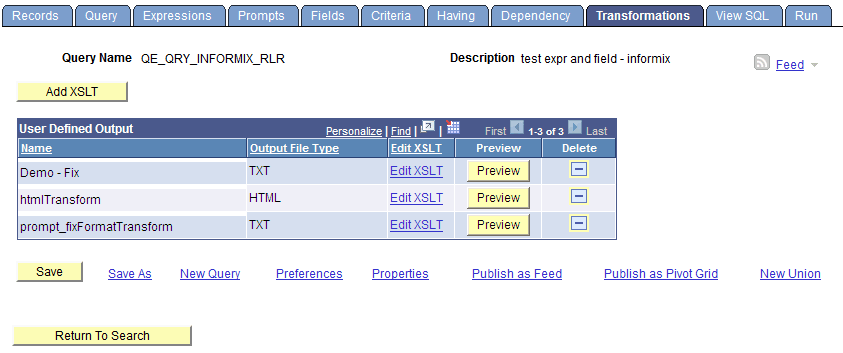
The following example shows the fields and controls on the Transformations page. Definitions for the fields and controls follow the example.
| Field or Control | Description |
|---|---|
|
Add XSLT |
Click to access the Transformation Details page, where you can add a new transformation (XSLT) for the selected query. Note: The number of transformations that you can add to a query definition is not limited. You can define how to use each XSLT to convert query data into a document with different formats. |
|
Output File Type |
Displays a file extension to be created after the transformation. |
|
Edit XSLT |
Click to view and edit the content of the current XSLT. |
|
Preview |
Click to view sample output of a query with transformation. |
|
|
Click to delete the XSLT from the selected query. After you click the Delete icon, a Delete Confirmation message appears enabling you to either confirm or cancel the deletion. |
