Viewing Output in Report Manager
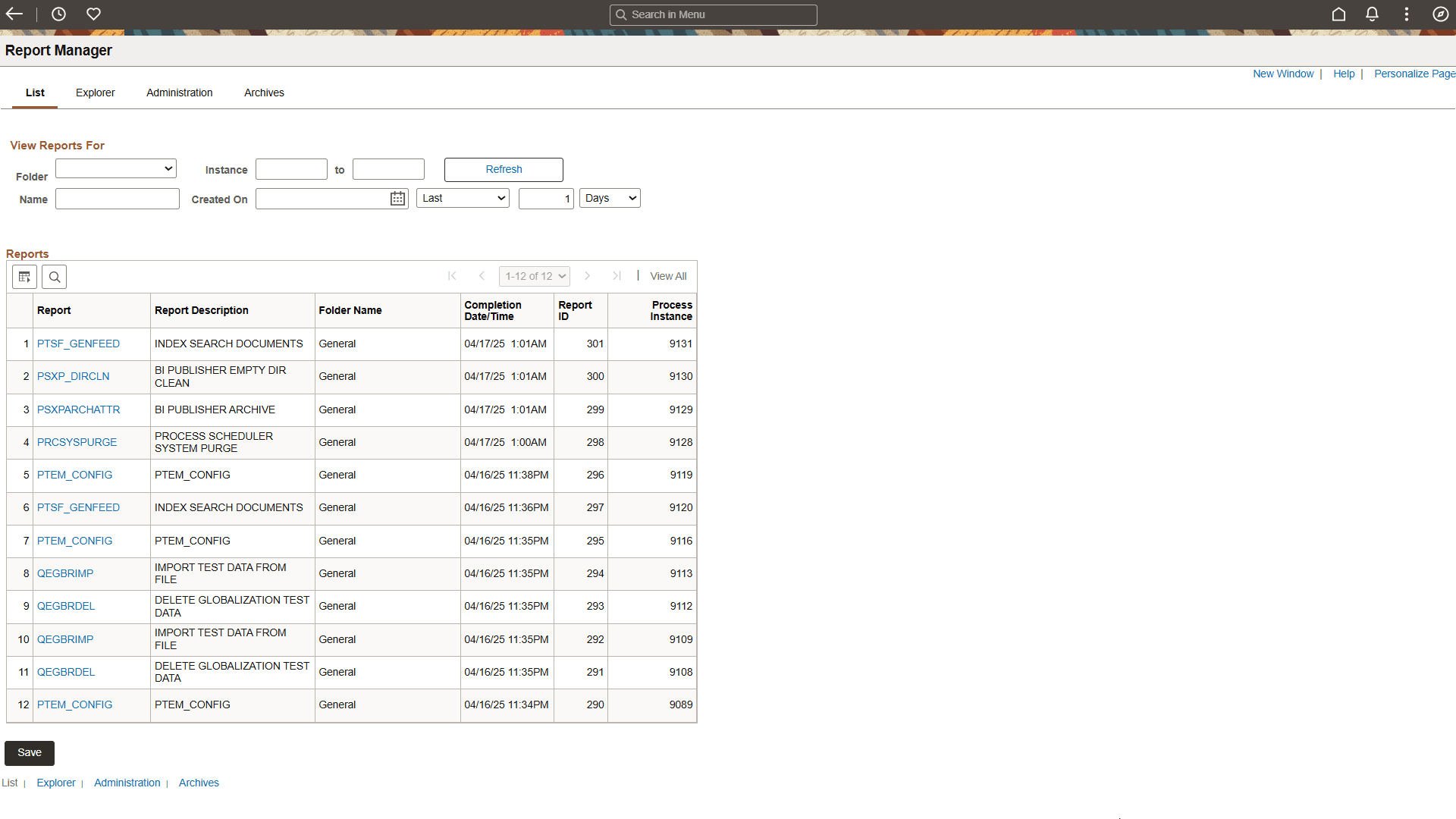
Report Manager is like your own personal in-box of reports and process output. It provides a secure way to view report content, check the posting status of your output, and see content detail messages.
You can view all of your reports by opening your Report List in your browser.
To access the Report Manager, select or click the Report Manager link on the Schedule Query page.
This example illustrates the fields and controls on the Report Manager - List page.
Note:
BI Publisher reports can also be viewed by navigating to
Related Topics
- Process Scheduler: Viewing the Status of Processes
- Applications User’s Guide: Requesting Reports in PeopleSoft Applications
- Applications User’s Guide: Checking the Status of Reports
- Applications User’s Guide: Viewing Reports in Report Manager
- BI Publisher for PeopleSoft: Searching the BI Publisher Report Repository