Administering OpenSearch Using the OpenSearch Interact Page
OpenSearch provides several REST APIs that can be used to obtain details of a cluster or index in the PeopleSoft implementation. In the absence of a default user interface to administer OpenSearch, PeopleSoft provides a user interface (called OpenSearch Interact) that enables you to choose the cluster and index level options on which you want to obtain information from the search engine. Based on the selected options, PeopleSoft Search Framework generates a URL, which is submitted to OpenSearch, and the response is displayed on the OpenSearch Interact page. The OpenSearch Interact page is accessible from the Search Instance Properties page, and it provides administration requests only for those cluster and index validations that are exposed by PeopleSoft.
Access the OpenSearch Interact page () by selecting an OpenSearch search instance, and then selecting the OpenSearch Interact link on the Search Instance Properties page.
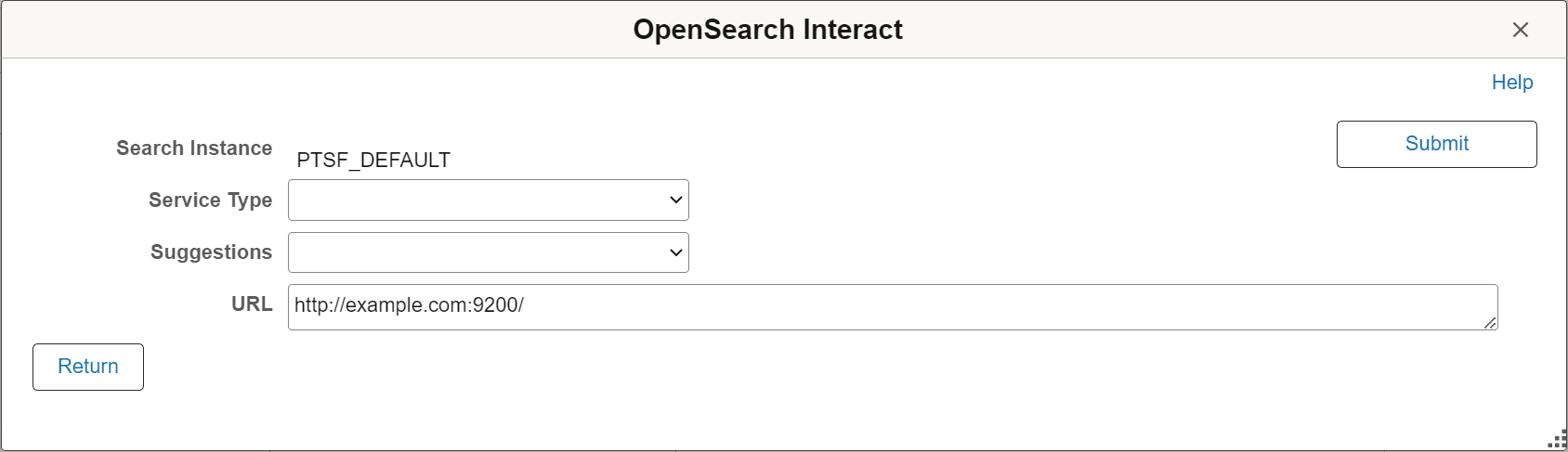
This example illustrates the fields and controls on the OpenSearch Interact page (initial). You can find definitions for the fields and controls later on this page.
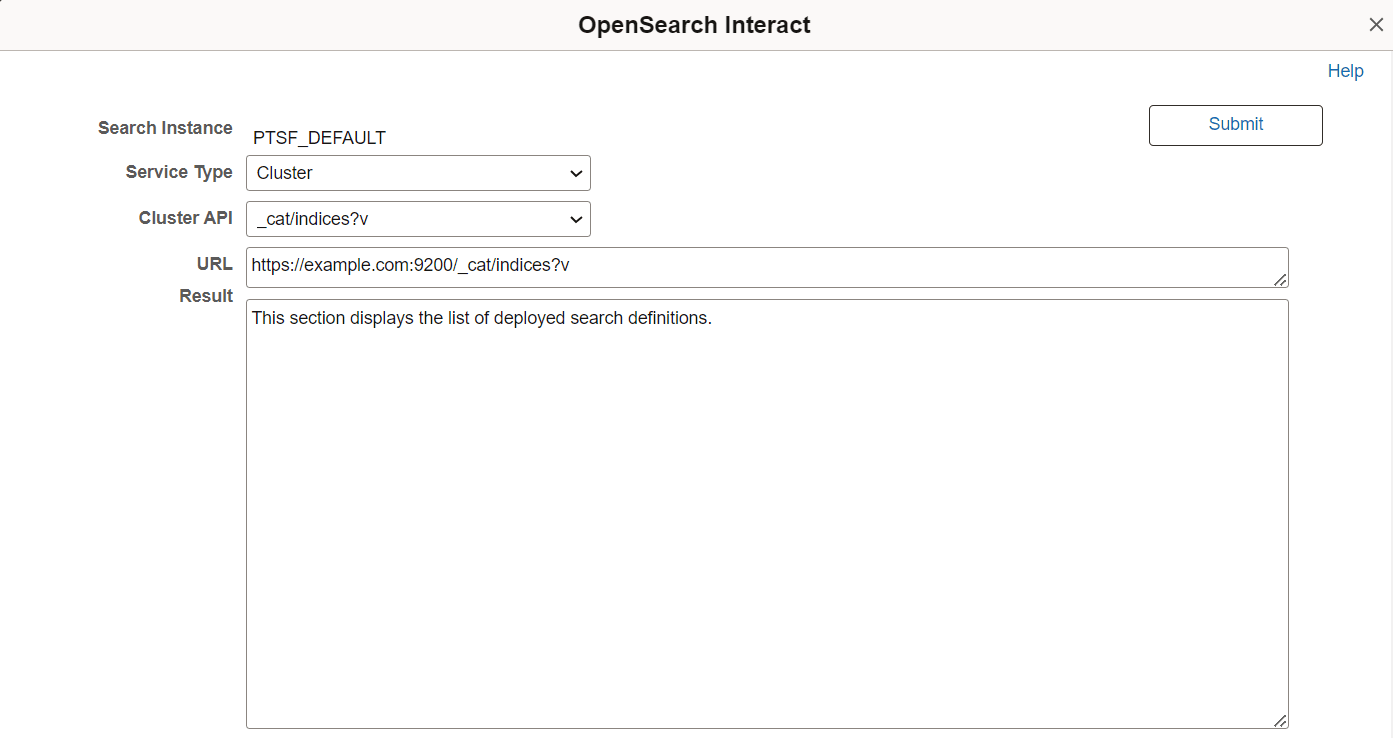
This example illustrates the fields and controls on the OpenSearch Interact page after selecting an option from the Service Type drop-down list. You can find definitions for the fields and controls later on this page.
| Field or Control | Description |
|---|---|
|
Search Instance |
The search instance name. |
|
Service Type |
Displays a list of service type groups. The following service type groups are available:
|
|
Suggestions |
The Suggestions field displays on the initial OpenSearch Interact page and it changes based on the service type you select. The Suggestions field changes to the following:
|
|
Method |
The Method field is displayed when the service type is Search. Choose the type of HTTP request that needs to be issued to the search server. Valid options are:
|
|
URL |
The URL is automatically formed based on the selected options. For example, if you select Cluster as service type and select cat/indices as the cluster API, the URL is automatically formed:
Note: The URL cannot be modified. To modify the URL, you need to change the options you have selected. |
|
Body |
The Body field appears when you select POST as a method. This field must contain a JSON request. The contents of the Body field are passed along with the request to the search engine. |
|
Result |
The Result area displays the response from the search engine for each request. PeopleSoft Search Framework displays the response from the search engine as is. |