Defining Prompt Criteria
So that the prompt identifies the correct rows for incremental updates, you must also add query criteria based on the “last updated” field. Use the Criteria tab in Query Manager, and click Add Criteria. Set the criteria as described in the following table.
| Item | Value Selected |
|---|---|
|
Expression 1 |
|
|
Condition Type |
|
|
Expression 2 |
|
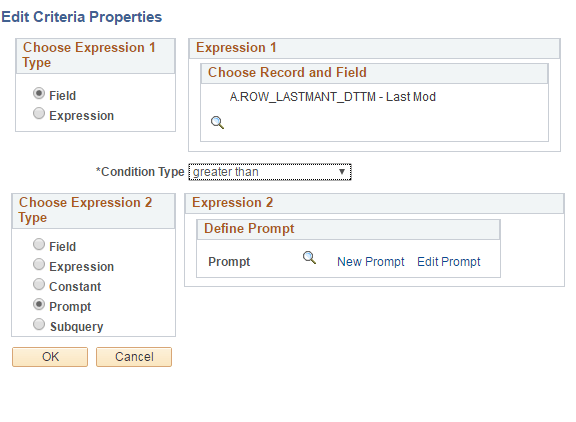
For example:
This example illustrates the fields and controls on the Edit Criteria Properties dialog box. You can find definitions for the fields and controls later on this page.
Note:
As with all queries, query security must be provided in order to access query information. See Query for more information.