Creating a Prompt for the Last Modified Field
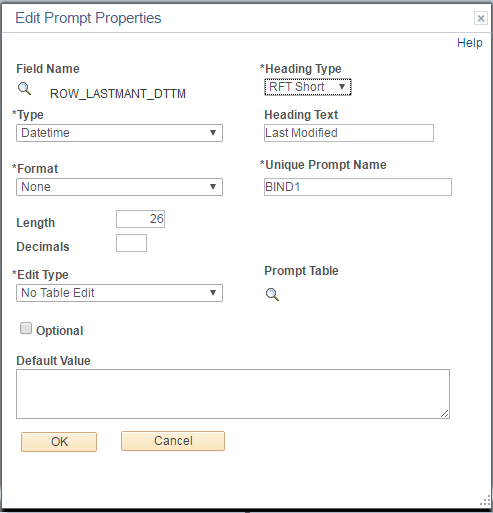
You need to create a prompt for your query so that the system can use the last update date and time for enabling incremental index updates. This is required by the Search Framework even if you do not intend to implement incremental index updates. The Application Engine program performing incremental index updates requires the valid prompt data. Use the prompt tab in Query Manager to create your prompt. On the Edit Prompt Properties dialog box, select the "last updated“ from the Field Name drop-down list.
This example illustrates the fields and controls on the Edit Prompt Properties dialog box. You can find definitions for the fields and controls later on this page.