Managing Favorite Searches
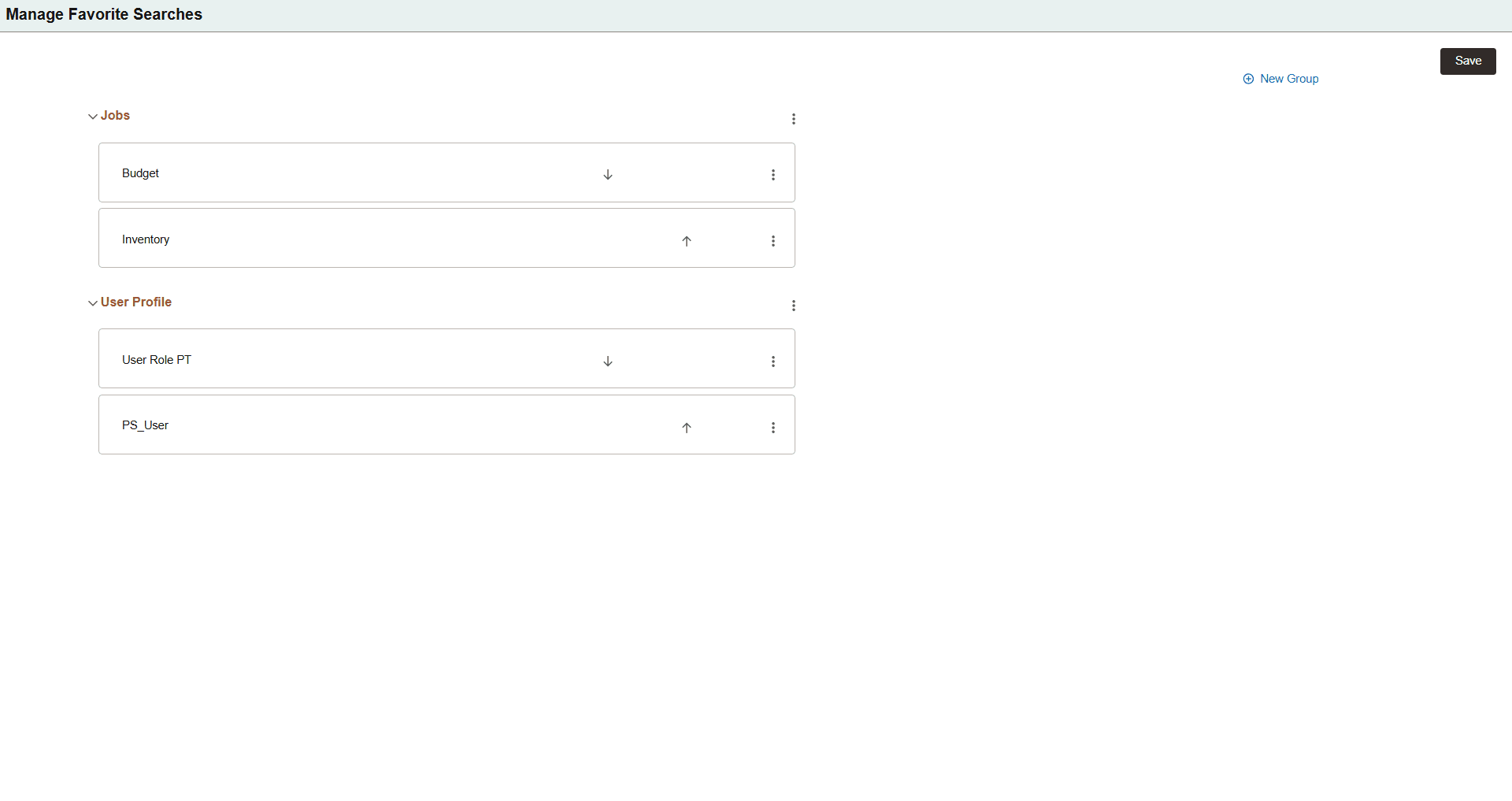
The Manage Favorite Searches page lists all the saved groups and saved searches that are available in the My Favorite Searches page and enables you to reorder them. The User Defined item display order in the My Favorite Searches page displays the saved searches and groups in the same order that they appear in the Manage Favorite Searches page.
You can also use this page to create new groups, move your saved searches to a different group, and delete groups and saved searches.
Note:
The Manage Favorite Searches page only displays local search items; that is, saved searches and groups that are stored in the local content system or database. This page does not have access to remote search items. To manage such items, you must access the content system or database where the remote items reside.
This example illustrates the properties for the Manage Favorite Searches page. Descriptions of the properties appear after the example.
| Field or Control | Description |
|---|---|
|
New Group |
Select this link to open the Add New Group dialog box and create a new group. You must enter a unique name for the new group. |
|
|
Select this menu to perform one of the following actions for the group:
|
|
|
Select this menu to perform one of the following actions for the saved search item:
|
|
|
Select this button to move the saved search item down one row within the group. |
|
|
Select this button to move the saved search item up one row within the group. |
 (Group Actions)
 (Item Actions)

