Specifying Attachments in a Search Definition
Access the Attachments page by selecting and selecting the Attachment Properties tab.
You use the Attachments page to select options related to the attachments that will be indexed as part of your search definition.
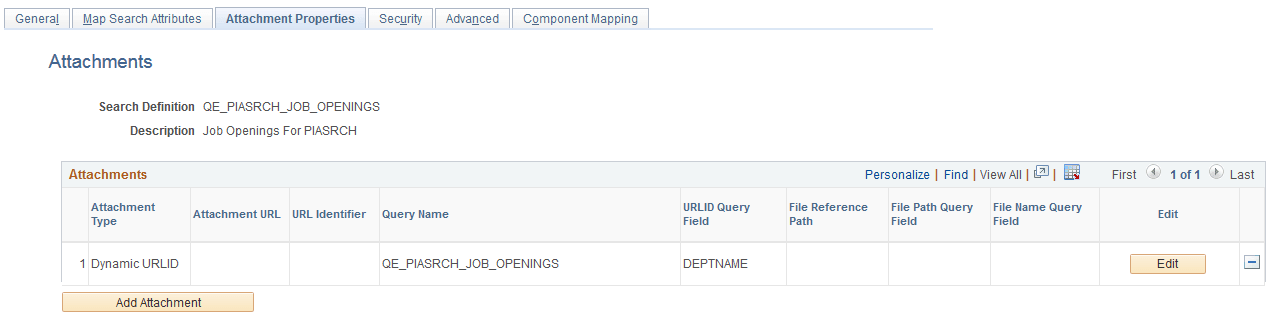
This example illustrates the fields and controls on the Attachment Properties page. You can find definitions for the fields and controls later on this page.
| Field or Control | Description |
|---|---|
|
Attachments |
The Attachments grid contains attachments you specify to be indexed as part of your search definition. These are the types of attachments supported:
The options for each attachment type are described later in this topic where each attachment type is discussed. |
|
Edit |
Click to edit the properties of a previously entered attachment. |
|
Add Attachment |
Click to add a new attachment to the Attachments grid. |
Important:
If the attachment URL properties or the URL of the attachment storage location changes, the PeopleSoft Search Framework recognizes the changes, and during the next index build or index update, the system will update the deployed search definitions to reflect the updated attachment properties and URL information.
Related Topics