Excluding Attachment Search for an Index
Indexing data with attachments might increase the search server's storage and resource use, such as memory and CPU. These effects can degrade overall indexing performance and increase the time required to complete indexing. If there is no business need to search across attachments, the Exclude Attachments option can be used.
By default, the Exclude Attachments check box is unchecked, that is, the search definition is indexed with configured attachments. Therefore, keyword searches happen on attachments as well.
If you enable this check box, the indexing process excludes attachments.
Note:
This check box is disabled for the search definitions that do not have configured attachments.
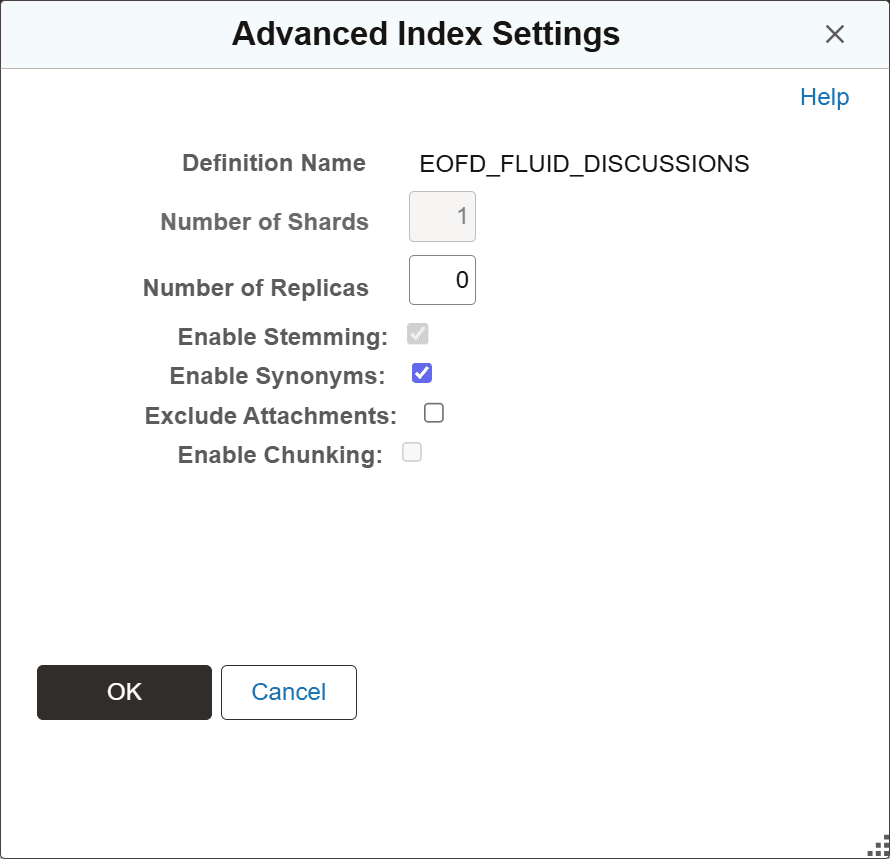
You use the Advanced Index Settings page to exclude attachment search for an index.
Complete these steps to exclude attachment search for an index:
-
Navigate to and from Administration in the left panel, choose Deploy/Delete Object.
-
On the Deploy Search Definition page, select the Index Settings link for the desired index.
-
On the Advanced Index Settings page, select the Exclude Attachments check box, and select OK to save your setting.
This example illustrates the Advanced Index Settings page where you exclude attachment search.