Specifying Attachment URL Properties
An Attachment URL type of attachment refers to attachments that are linked to the search definition by way of an Attachment URL type of drilling URL, specified on the Expression tab of PeopleSoft Query.
When using the Attachment URL type of attachment, the system uses the call-back credentials, defined for the search engine instance, to access the location of the attachment files. For example, if your attachments are stored in a SFTP server, the SFTP server needs to have the search engine call-back credentials configured as a valid user.
Note:
The drilling URLs are different depending on the attachment repository type (database, SFTP, and so on), but in all cases the system uses call-back user credentials to access the files.
Access the properties for this type of attachment by clicking the Add Attachment or Edit button on the Attachments page.
This example illustrates the fields and controls on the Define Attachment Properties: Attachment URL. You can find definitions for the fields and controls later on this page.
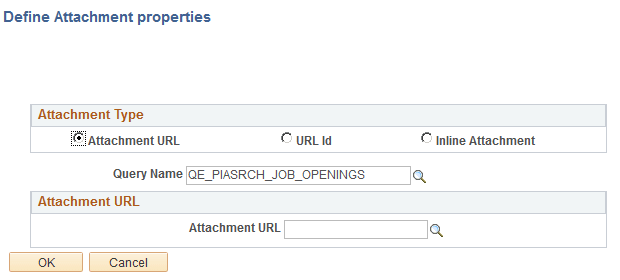
| Field or Control | Description |
|---|---|
|
Attachment URL |
Select if the attachment is linked to the search definition through a drilling URL in the underlying query as specified on the Expression tab in PeopleSoft Query. |
|
Query Name |
Select the query in which the Attachment URL drilling URL is defined. |
|
Attachment URL |
Select the query field in which the drilling URL query expression exists. |