Specifying Static URL ID Attachment Properties
A Static URL ID type of attachment refers to an attachment that is associated with a URL ID that is static, or unlikely to change. You select the URL ID from the URL list defined by the Attachment URL ID List (). For a Static URL ID type, the URL is generated from a URL ID (static) and a constant file reference path. This makes the URL always constant, and the file name changes based on the value received from the query field.
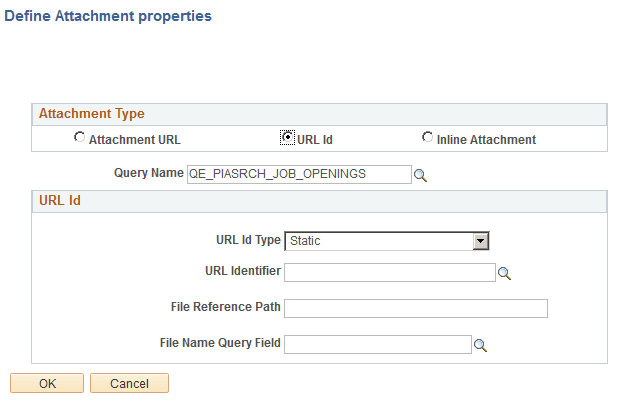
This example illustrates the fields and controls on the Define Attachment Properties: Static URL. You can find definitions for the fields and controls later on this page.
| Field or Control | Description |
|---|---|
|
URL ID |
Select if your attachment is associated with a URL ID, not an Attachment URL expression defined in PeopleSoft Query. |
|
Query Name |
Select the query name in which this attachment is referenced. |
|
URL ID Type |
If the URL ID is constant and unlikely to change, select Static. |
|
URL Identifier |
Select the URL Identifier from the drop-down list. This list is populated by the list defined by the Attachment URL ID List (). These URLs are a subset of the URLs defined in the PeopleSoft database, and this subset are those URLs identified to be used with the PeopleSoft Search Framework. |
|
File Reference Path |
(Optional) Enter a file reference path for mapping a dynamic file path. |
|
File Name Query Field |
Select the query field that will contain the name of the attached file. |