Viewing Search Results With Grid Format and List Format
Use the grid and list buttons to toggle between the grid format and the list format for viewing search results.
| Field or Control | Description |
|---|---|
|
|
Enables you to switch the view of the search results between list format and grid format. The icon representing the current view is greyed out. |

Working with the Grid Format
The following example displays the grid format:
This example illustrates the fields and controls on the Search Results in grid format. You can find definitions for the fields and controls later on this page.
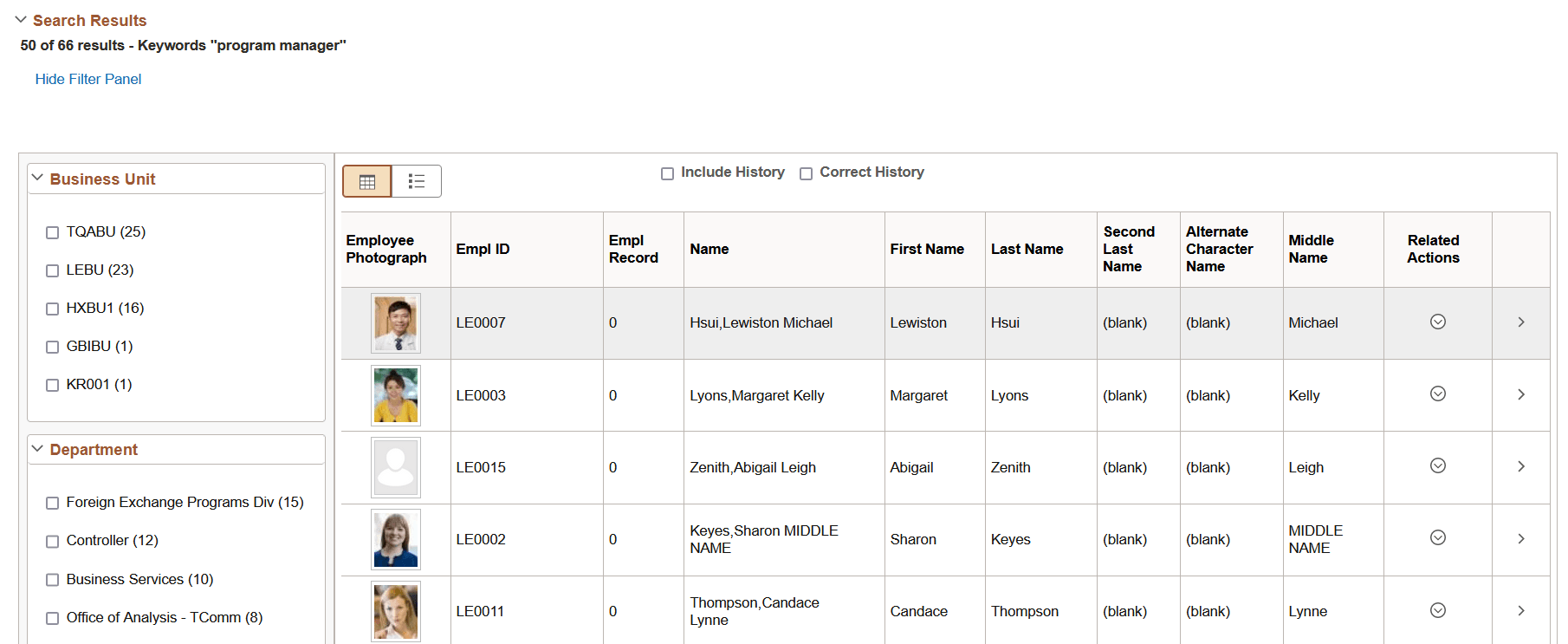
To navigate to the page loading the desired data, select the row.
Working with the List Format
The following example displays the list format:
This example illustrates the fields and controls on the Search Results in list format. You can find definitions for the fields and controls later on this page.
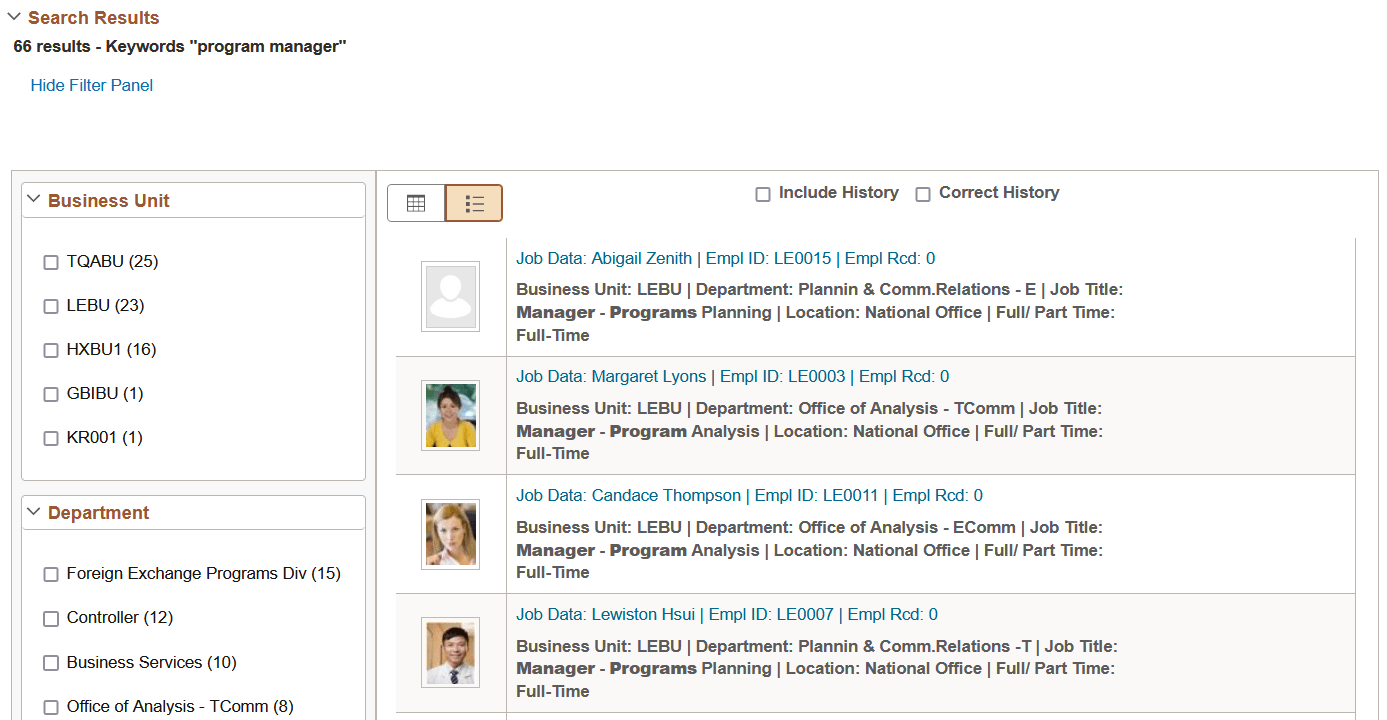
To navigate to the page loading the desired data, select the row.
If the list view contains sensitive or PII data, list view is not displayed. For more information on masking of sensitive data, refer to Masking of Data in Search Results.
Note:
The default search result display format for Global Search is the list format.