Working with Keyword Search Modes
The Keyword search page has these modes:
-
Keyword-only
-
Basic
-
Advanced
These modes can be selected in the Component Properties dialog box.
Working with Keyword-Only Mode
The keyword-only mode is not supported. If keyword-only mode is selected for a component and if configurable search is enabled for the component, then keyword-only mode is not honored. Instead, basic mode is displayed.
Working with Basic Mode
In basic mode, the Keywords edit box displays with an additional 'Search by' option with a drop-down list box to select a search record field to use for as search criteria.
Working with Advanced Mode
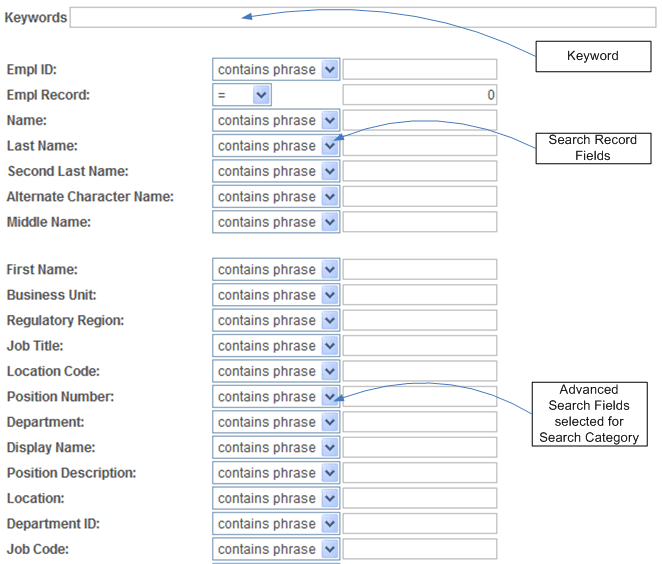
The advanced mode displays all search criteria:
-
Keywords.
-
Search record fields.
-
Search fields defined for the Search Framework search category on the Advanced Search Fields tab.
The following illustration depicts the controls on the advanced search page and their association.
Note:
The system does not display in the Advanced Search Fields list any search fields that are also displayed in the search record search field list.
Note:
All search record fields (Key, Alt Key, and List box fields) must be part of the index. If any of the fields have translate values, those translate fields must also be part of the search index.
Note:
The search criteria that appears depends on the application’s usage of the search filter PeopleCode and the type of data. For example, contains phrase is applicable to a character field, but not to a number field.