My Preferences and the Fluid User Interface
This section provides information about using the My Preferences framework with the PeopleSoft Fluid User Interface.
Accessing My Preferences from a Fluid Page
When the My Preferences component is accessed through the Actions menu on a Fluid page, the framework checks if the Fluid page has an associated preference item in the same system. When there is one found, that preference item is displayed on the navigation panel of the My Preferences page by default. If there are no preference items associated with the Fluid page, the default PeopleTools General Settings preference item appears on the navigation panel.
My Preferences Tile
A My Preferences tile is delivered by PeopleTools, but it is not added to the Fluid homepage or NavBar by default.
This example illustrates the My Preferences tile delivered with PeopleTools.
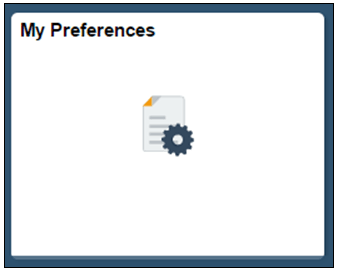
Note the following points about the My Preferences tile:
-
The tile is cluster-aware and always opens the My Preferences component on the portal system.
-
The tile does not support context sensitivity and therefore always displays the General Settings preference items described previously in this section.
-
The tile features a custom pre-load image and does not have any live tile content.
To add a content reference to the My Preferences tile:
-
Select
The Structure and Content page appears.
-
In the Folders grid, click the Fluid Structure Content link.
The Structure and Content for Fluid Structure and Content page appears.
-
In the Folders grid, click the Fluid Homepages link.
The Content and Structure page for Fluid Homepages page appears.
-
In the Content References grid, locate the homepage to which you want to add the tile, and click the Edit link.
The Content Reference Administration page appears.
-
Click the Tile Content tab.
The Tab Content page appears.
-
In the PeopleSoft Applications group of controls:
-
Select the My Preferences box.
-
From the drop-down list, select the tile behavior.
-
-
Click the Save button.