Opening Query Access Group Trees
Access the Query Access Manager page ().
This example illustrates the fields and controls on the Query Access Manager - Search page.
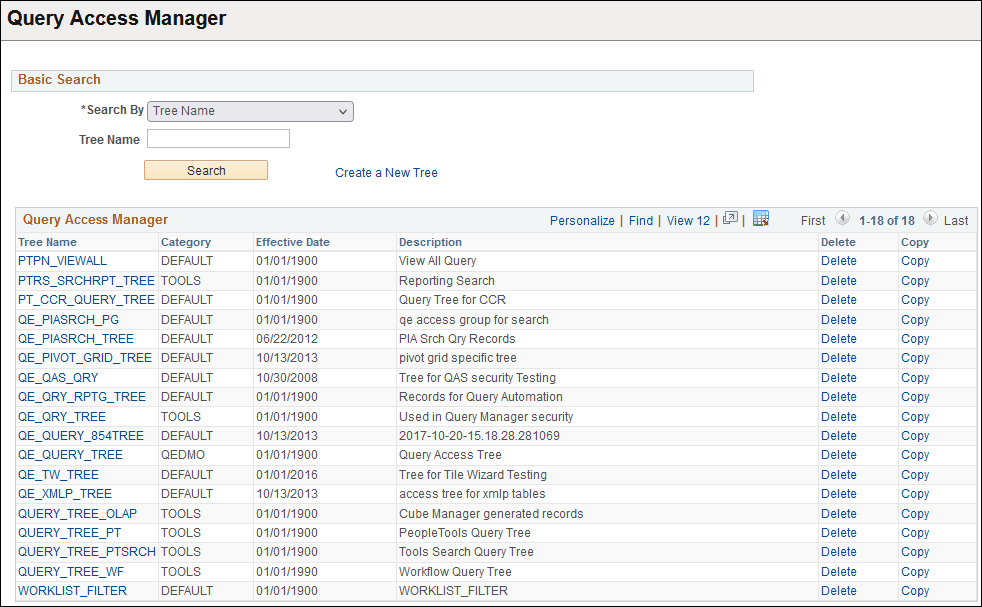
Before you can view and modify a Query access group tree definition, you need to locate the correct tree definition.
To open a query tree definition:
-
On the Basic Search page select your search criteria.
You can search by Tree Name, Tree Category, Tree Description, Group Name used in a Tree, or Record Name used in a Tree.
-
Click Search.
After clicking Search, a list appears containing the definitions that meet your criteria.
-
Click the tree name link.
The search page also enables you to delete or copy a tree. Click the Delete or Copy link to perform the desired task. If you click Delete, the system prompts you to confirm the action, and if you click Copy, the system displays the Copy Tree page where you can enter the name for the copied tree.
Some of the trees in the grid may appear without Copy and Delete buttons visible. In this situation, Definition Security settings are such that you have only read-only access to these trees.