Requesting New Passwords
This section describes how an end user requests new passwords.
Prerequisites for Requesting New Passwords
Before the system can email the user a new password, the security administration must complete the requirements in Implementing Forgotten Password Emails.
Specifying the User to Validate
Use the Forgotten Password page to specify the ID of the user to validate.
-
To access the Forgotten Password page, click the Forgotten Password link on the PeopleSoft signon page or use a link as provided by the security administrator.
-
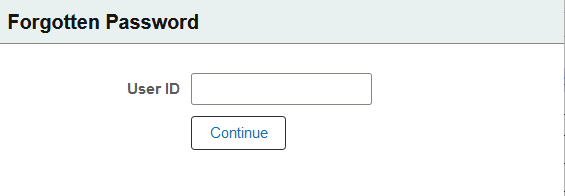
In the User ID field enter the user name to validate.
This example illustrates the fields and controls on the Forgotten Password page.
-
Click the Continue button.
For security purposes no indication is provided if a user enters a correct user ID or an incorrect user ID. If an incorrect user ID is entered, a user is able to proceed in the process, but the password reset will not be successful.
At the end of the procedure the system displays a message advising users to contact their security administrator or system administrator if the password reset is not successful, and users who inadvertently entered an incorrect user ID may contact their administrator for assistance.
Entering Password Hint Responses
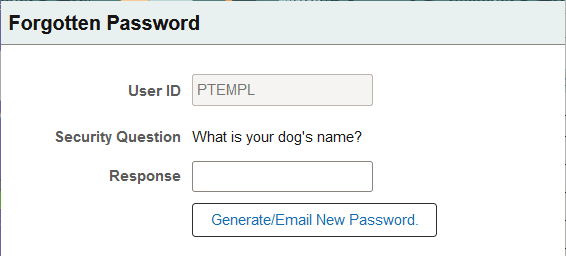
After you enter the user ID to validate on the Forgotten Password page, you are presented with a question to answer.
-
In the Response field enter the answer to the question.
This example illustrates the fields and controls on the Security Question page.
-
Click the Generate/Email New Password button.
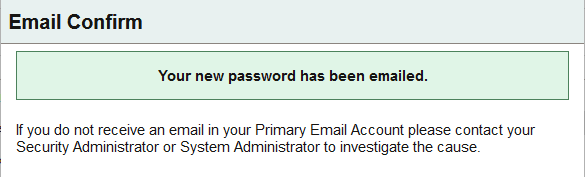
The Email Confirm page appears with a message that the password has been emailed to the primary email address defined for the user.
This example illustrates the Email Confirm page.
In the interest of security, the system does not provide feedback if a correct response is entered for the password question or if an incorrect response is entered.
If the user enters a valid user ID in the previous step and enters the correct response to the password question, a new password is emailed to the primary email account as defined in the user profile, provided that the administrator has satisfied the prerequisites described previously in this section.
If the security administrator has configured the Incorrect Hint Response Email Text message as described previously in this topic, at the end of the procedure the system sends an email to the address defined in the user profile providing information and instructions as determined by the administrator.
If the user did not enter a valid user ID in the previous step, he or she is able to enter a response to the password hint. However, no new password generation is performed.