Defining Answers for Forgotten Password Hints
End users can use the Change or Set Up Forgotten Password Help page (USER_PSWDHINT) to define an answer to a predefined password hint question set up by the system administrator.
If you forget your password, the system will present you with a security question. When you provide the answer, the system emails you instructions to reset your password.
Select My System Profile from the NavBar menu and click the link Change or set up forgotten password help.
See Applications User’s Guide: Setting Up Your System Profile.
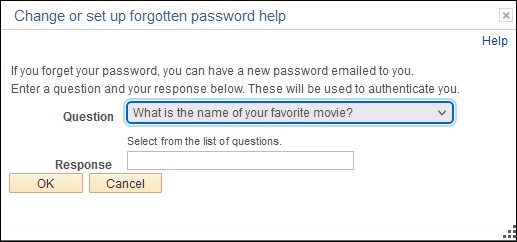
This example illustrates the fields and controls on the Change or set up forgotten password help page.
| Field or Control | Description |
|---|---|
|
Question |
This field contains the security question set up by the administrator. |
|
Response |
Enter the answer to the question. |