Using the Inclusion Rules Page
Use the Inclusion Rules page (PTDEFSECINRL) to manage inclusion rules, including viewing, modifying, and deleting them.
To access the page:
-
Select
The Definition Groups Search page appears.
-
Search for a definition group or add one to the system.
The Group Content Summary page appears.
-
Click the Inclusion Rules tab.
This example illustrates the fields and controls on the Inclusion Rules page for a definition object for which no inclusion rules have been defined. You can find definitions for the fields and controls later on this page
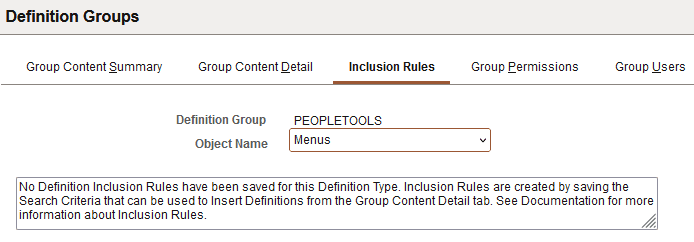
The previous example shows the Inclusion Rules page when no inclusion rules have been defined for an object name (definition type).
This example illustrates the fields and controls on the Inclusion Rules page when inclusion rules are defined for a definition object. You can find definitions for the fields and controls later on this page.
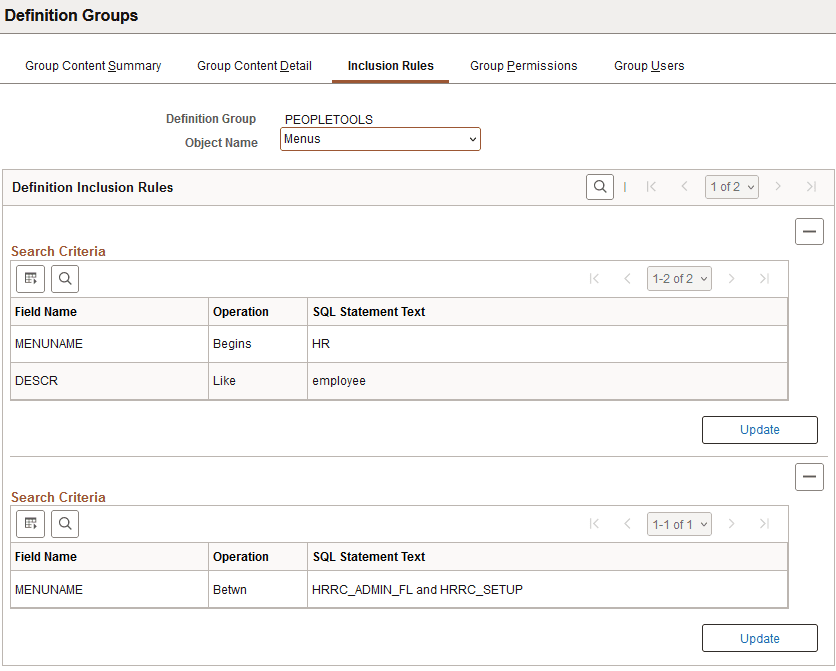
The previous example shows the Inclusion Rules page when inclusion rules are defined for an object name (definition type).