Viewing Definitions of a Specific Type
To view definitions of a particular type that belong to a definition group, select the definition type from the View menu.
This example illustrates the PS Definition Security window showing pages.
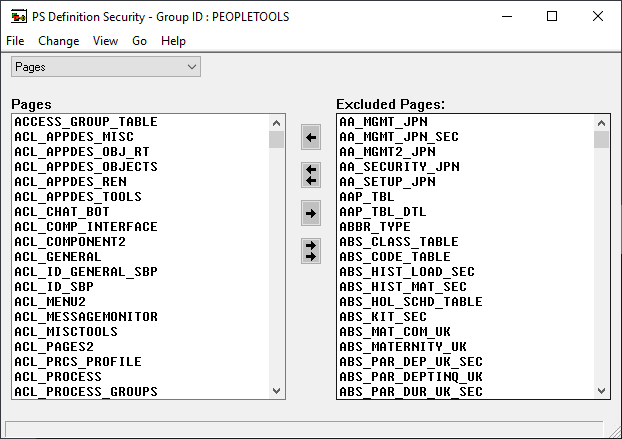
The view window is split vertically into two list boxes. The box on the left contains a list of definitions that belong to the definition group and are of the selected type.
The list box on the right is the Excluded definition_type list. The label for the definition type changes according to the definition type you are viewing. For example, when you view pages, the label is Excluded Pages, and when you view menus, the label reads Excluded Menus, and so on. The Excluded definition_type list box displays the names of all the definitions of the selected type that are not included in the current definition group.