Selecting Features
Access the Product Features page by clicking the product name link.
This example illustrates the fields and controls on the Product Features page.
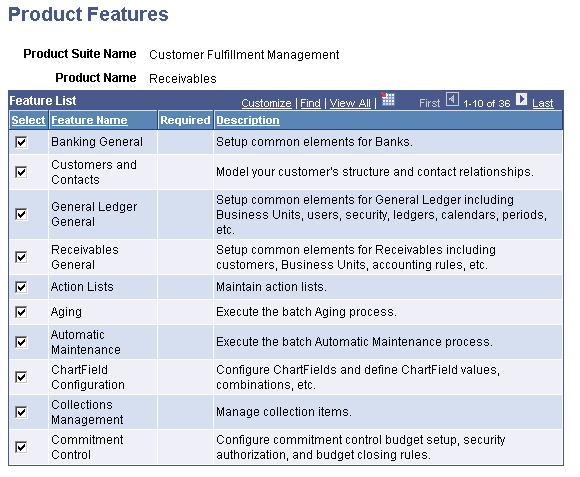
Products comprise features that support individual products. This page displays the list of features that support the product that you've selected and enables you to select one or more of those features to include in the implementation. Select the check box for the features that you want to implement. The system automatically selects all required features for that product after at least one feature is selected.
The Select All and Deselect All links enable you to edit the list more efficiently.
Required Features
Some of the features listed on pages are identified as required features. A required feature contains the basic components without which a particular product could not be implemented; therefore required feature must be set up for the product to function correctly. All required features appear at the top of the feature list by default. The system automatically selects all required features when you select any of the features for the product. If you clear one of the required features, Setup Manager clears all other features for that product.
If a required feature belongs to more than one product or product suite and you select it for implementation, that feature is automatically selected for all products or product suites in your system. In addition, Setup Manager selects any additional required features that support the other products and product suites.