Defining PeopleSoft Entity Codes
To access the Ec Entity Code Tbl (Entity Code Table) page. select
This example illustrates the fields and controls on the Ec Entity Code Tbl page.
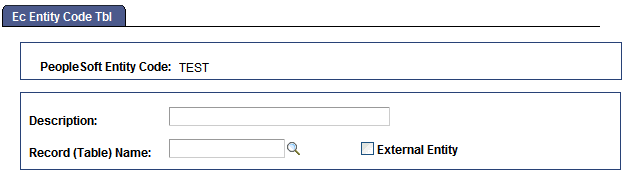
You define entity codes for the types of business entities that serve as trading partners. Internally, the entities are usually business units. Use this page to specify the type of business entity to which the code applies and which table in the PeopleSoft database lists valid entities of this type.
To define a PeopleSoft entity code:
-
Select the record definition for the table that lists valid entities of this type.
Select the prompt table for this type of entity from the Record (Table) Name field. For example, if you are defining an entity code for business units, specify the table that holds business unit IDs.
-
Specify whether this entity code applies to external trading partners.
You need to identify entity codes both for your internal business entities and for the external companies that you trade with. For example, you will probably want to create entity codes based on the Vendor table and the Customer table.
If the entity code that you are defining is for external companies, select the External Entity check box.