Maintain Translate Values
You use the Maintain Translate Values interface to maintain the values in the translate table. If it's allowed by site security administrators, power users can now learn to add their own pick lists (translate values) to an application.
Select and search for a Field Name to access the Maintain Translate Values page.
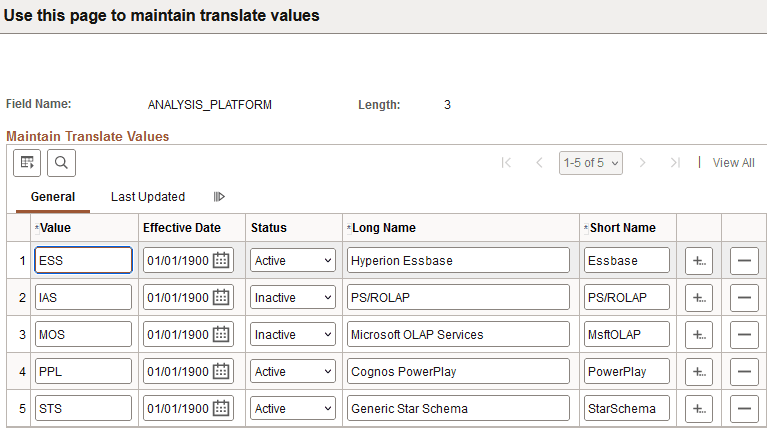
This example illustrates the fields and controls on the maintain translate values page. You can find definitions for the fields and controls later on this page.
| Field or Control | Description |
|---|---|
|
Value |
Enter the value for the translate selection. |
|
Effective Date |
Specify a date for the value to become active. Note:If you are adding a second row for the same translate value, you must enter a unique effective date. |
|
Status |
Specify whether the value is active or not. |
|
Long Name |
Enter a long description for identification. There is a 30-character limit. |
|
Short Name |
Enter a shorter description for identification. There is a 10-character limit. |