Configuring the Web Profile
Complete the following steps to configure the web profile settings for the PeopleSoft application that you are testing.
-
Access the Web Profile Configuration page ().
-
Select the profile name for your environment. (This is the web profile that was selected during web server installation.)
-
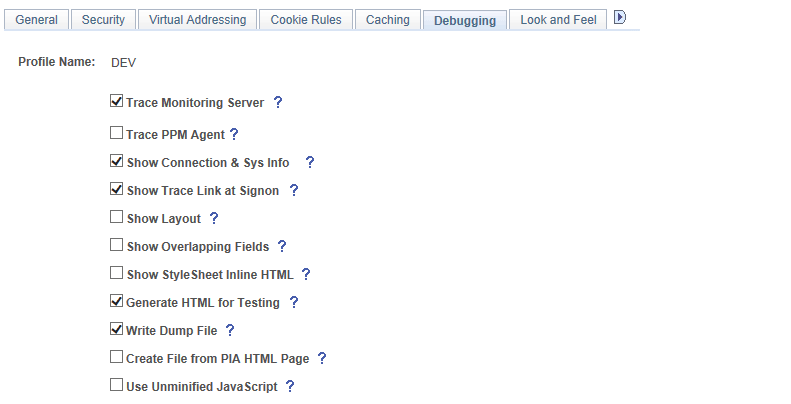
Click the Debugging tab.
-
Check the Show Connection & Sys Info check box.
If this option is not selected PTF will not record menu, component, and page metadata correctly.
-
Check the Generate HTML for Testing check box.
If this option is not selected PTF will not record HTML objects correctly.
This example illustrates the fields and controls on the Web Profile Configuration - Debugging page.