Context Sensitive Help within Grid for Function Parameter Details
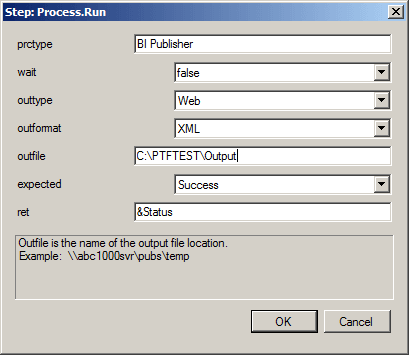
For any step type/action that includes parameters, you can press the F4 key or double-click in the Parameters cell to display and enter the parameters. For each parameter, an explanation and example are displayed. This is an example of the step Process.Run:
This example illustrates the fields and controls on the Parameter dialog box for Step:Process.Run.
For some step types, for example Query, you can also double-click in the Value column to display and enter parameters.