Recording Tests
When you record a test, PTF monitors each action you perform in the target application and creates a corresponding step in the test.
PTF Recorder populates these fields for each step:
-
Seq
-
ID
-
Active
-
Type
-
Action
-
Recognition
-
Parameters
-
Value
This example illustrates the fields and controls associated with the test steps. You can find definitions for the fields and controls later on this page.
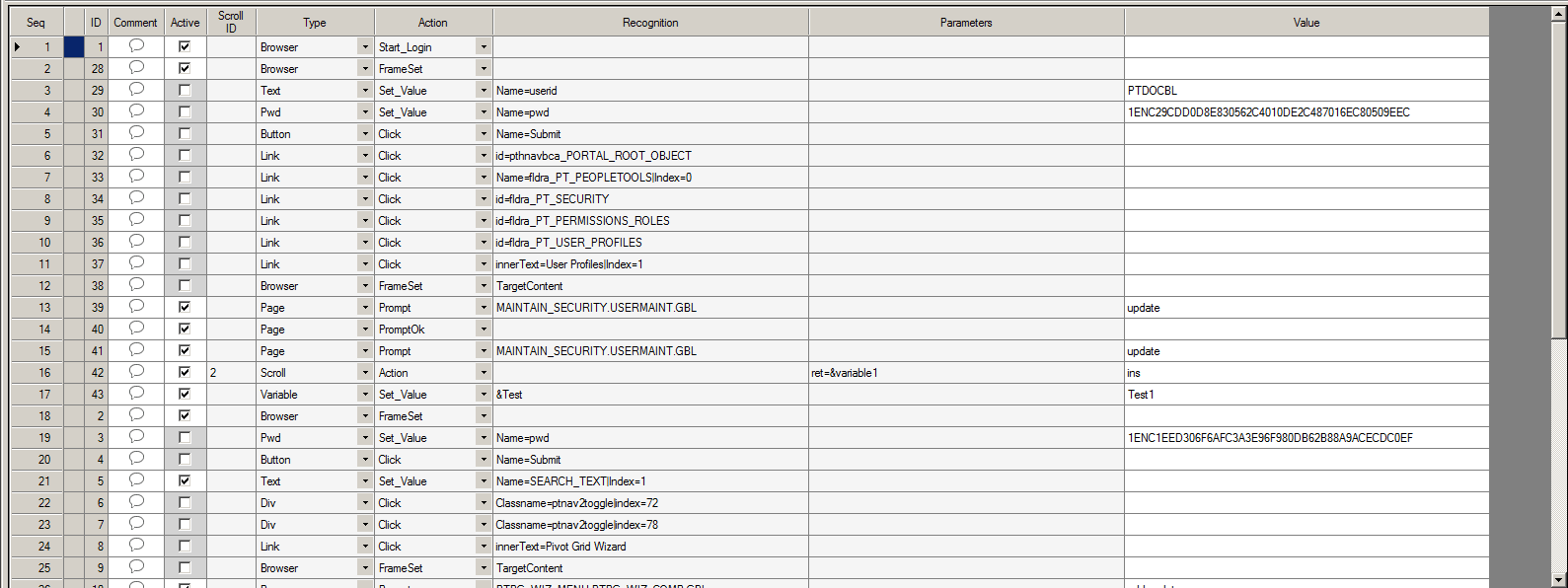
Seq and ID are system-generated fields.
Recognition, Parameters, and Value are not used with some actions, such as Browser.Start or Page.Save.
The Comment field is populated by the test developer to document the test.
In the Comments dialog, apart from entering text, you can insert timestamp also.