Specifying PeopleTools Options
Use the PeopleTools page (PSPTTSTTOOLOPTIONS) to supply the information required to connect to DataMover.
Navigation:
Select the PeopleTools tab.
This example shows the Define Runtime Options - PeopleTools page:
This example illustrates the fields and controls on the Define Runtime Options - PeopleTools page. You can find definitions for the fields and controls later on this page.
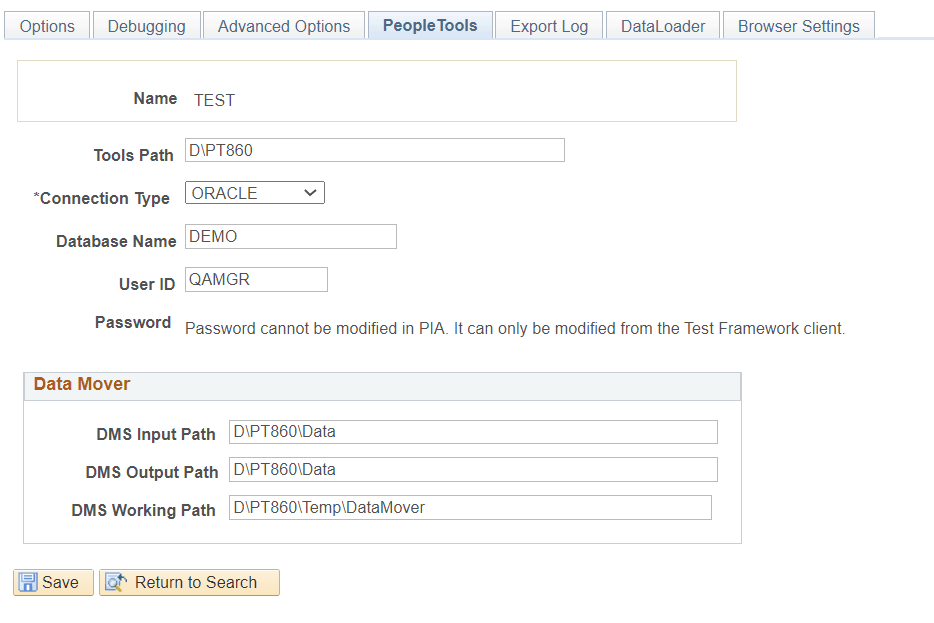
The fields on the PeopleTools page are the same as the fields on the PeopleTools tab in the PTF client, with the exception that you cannot modify passwords on the PeopleSoft application component.
| Field or Control | Description |
|---|---|
|
Tools Path |
Enter the path to PS_HOME for this environment. |
|
Connection Type |
Select the connection type. |
|
Database Name |
Enter the name of the database for this environment. |
|
User ID |
Enter a valid database user ID. |
|
Password |
This field is unavailable for entry. The password must be specified using the PTF Client. |
|
DMS Input Path |
Enter the DataMover input path. |
|
DMS Output Path |
Enter the DataMover output path. |
|
DMS Working Path |
Enter the DataMover working path. |