Defining Detail Tree Structures
Use the Tree Structure Properties page (PSTREESTRCTDEFN) to specify tree type, key fields, and navigation options.
Navigation:
This example illustrates the fields and controls on the Tree Structure Properties page. Definitions for the fields and controls appear following the example.
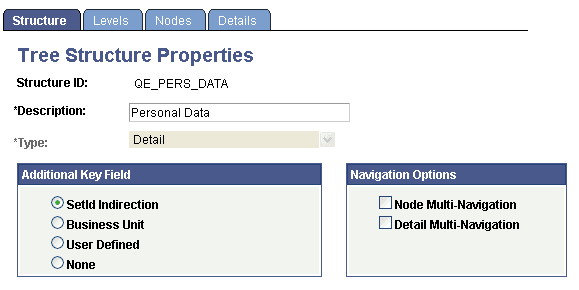
| Field or Control | Description |
|---|---|
|
Type |
The default value is Detail. |
|
Additional Key Field |
Select from the following values:
|
|
Navigation Options |
Select to enable multi-navigation for nodes and details. Multi-navigation enables you to navigate to any pages that are relevant to the node or detail pages specified on the tree structure. PeopleSoft Tree Manager enforces the set of rules to determine which pages should be included in the list. Multi-navigation is not available for Summary structure types. |