Defining Levels
Use the Tree Levels page (PSTREESTRCTLEVL) to specify the page and record to enter and store information about tree levels.
Navigation:
-
Select .
-
Search for an existing tree structure or create a new one.
-
Select the Levels tab on the Tree Structure Properties page.
This example illustrates the fields and controls on the Tree Levels page.
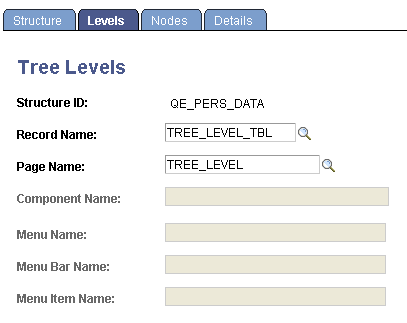
When you create a new level in a tree, PeopleSoft Tree Manager displays the page that you specify in the Page Name field on the Tree Levels page and stores the application data that you enter using the record definition in the Record Name field. The default values for these fields come from the standard Tree Manager page.
When using standard pages, you do not need to enter anything in the Menu Name or Menu Bar Name fields. However, if you want to store level information using something other than TREE_LEVEL_TBL, then you have to create a page and component that uses that new record definition. You must also ensure that the component has been defined on a menu somewhere in your system and specify all of this information on this page.