Viewing and Editing Tree Structures
Use the Tree Structure Properties page (PSTREESTRCTDEFN) to view a tree structure.
Navigation:
-
Select
-
Select the Tree Structure Maintenance tab.
-
Select a tree structure and click the View button.
This example illustrates the fields and controls on the Tree Structure Properties page.
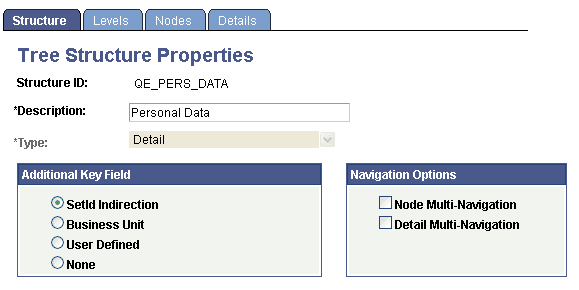
Select the Levels, Nodes, and Details tabs to view additional information.
Click the OK or Cancel button to return to the Tree Structure Maintenance page.
Related Topics