Copying Tree Structures
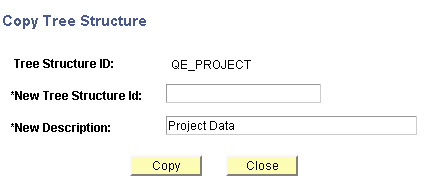
Use the Copy Tree Structure page (PSTREESTRCTCOPY) to copy a tree structure.
Navigation:
-
Select
-
Select the Tree Structure Maintenance tab.
-
Select a tree structure and click the Copy button.
This example illustrates the fields and controls on the Copy Tree Structure page.
To copy a tree structure:
-
In the Copy Tree Structure page, enter a new tree structure ID.
-
Change the description in the New Description field.
-
Click the Copy button.
You return to the Tree Structure Maintenance page. The new tree structure is listed.