Defining BlackBerry Email Responses
To access the Blackberry Email Responses page, select PeopleTools, Workflow, Notifications, Notification Templates, Blackberry Email Responses.
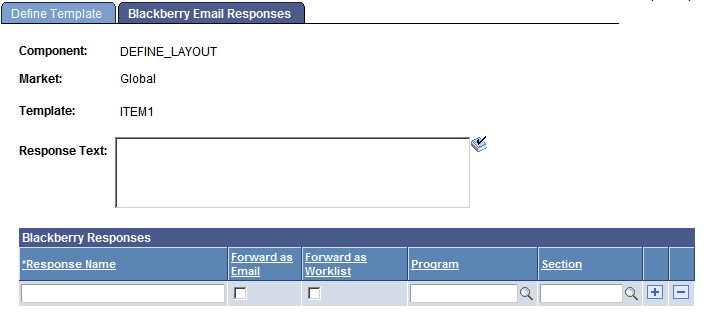
This example illustrates the fields and controls on the Blackberry Email Responses page.
| Field or Control | Description |
|---|---|
|
Response Text |
Enter text to add to the template message text. The responses do not appear in the RIM BlackBerry email device until the user selects Reply To. This provides a chance to add a reminder to the message text. |
|
Response Name |
Enter up to 10 possible responses. Each of these is associated with the Forward as Email and Forward as Worklist check boxes. Run an Application Engine program section to process the response. |
|
Forward as Email and Forward as Worklist |
Select to forward the response email message to the user who sent the notification. |
|
Program and Section |
(Optional) Used by the RIM BlackBerry Email Response Program to call specific user sections based on the response detected on incoming RIM BlackBerry email messages. These fields are not required, as users can decide that an email message or worklist entry is enough processing for each RIM BlackBerry response. |