Defining Template Variables
To access the Define Template Variables page, select PeopleTools, Workflow, Notifications, Component Template Variables, Define Template Variables.
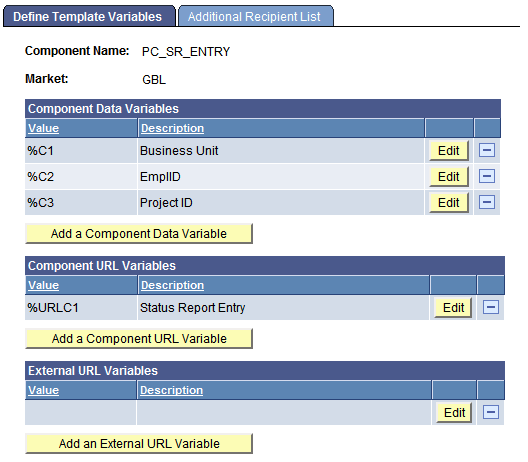
This example illustrates the fields and controls on the Define Template Variables page.
| Field or Control | Description |
|---|---|
|
Add a Component Data Variable |
Click to add a component data variable to the template. Click Edit to specify information about the variable. |
|
Add a Component URL Variable |
Click to add a component URL variable to the template. Click Edit to specify information about the variable. |
|
Add an External URL Variable |
Click to add an external URL variable to the template. Click Edit to specify information about the variable. |
Note:
Notification template variables do not indicate the true order of the variables. The order of template variables is determined by the sequence of the variables specified in the message text on the Define Template page. If the sequence of the variables in the message text is not in ascending, numerical order, then the template variables that you have declared must follow the order in the message text. If you do not synchronize the order of the template variables and the order that they appear in the message text, the system does not resolve the unordered variables.