Searching for Work Items Within a Worklist
To access the Review Work Items via Context - Search Criteria page, select PeopleTools, Workflow, Monitor Worklists, Review Work Items by Worklist, Search Criteria.
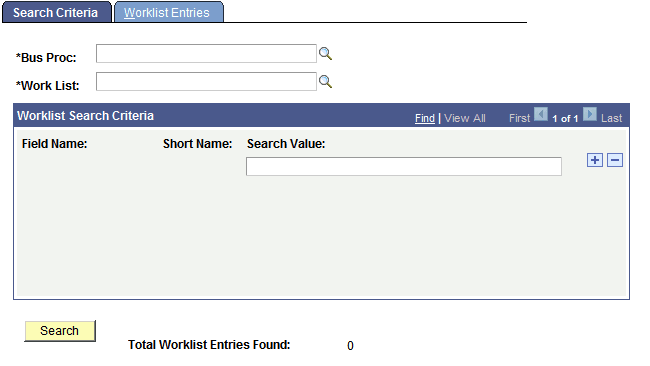
This example illustrates the fields and controls on the Review Work Items via Context - Search Criteria page.
To search for work items within a worklist:
-
Select the business process and worklist to search.
After you select the worklist, the user-defined fields from the worklist record definition appear in the Worklist Search Criteria group box. A Search Value drop-down list box is next to each field.
-
Enter search criteria in as many or as few of the fields as needed.
-
Click the Search button.
Worklist Monitor displays the total worklist entries that it found; that is, the number of worklist entries that meet your criteria.
-
Move to the Worklist Entries page.
The Worklist Entries page displays the entries that meet your search criteria. See the previous procedure for details about this page.