Setting Workflow Routing Options
After enabling the Notify toolbar button, set the workflow routing options for the role.
If Notify is selected in the component properties and Allow Notifications is selected for the role, the Notify toolbar (the Notify icon at the bottom of the component’s browser page) is available in that component for all users in that role.
If Allow Notifications is cleared for the role, the Notify toolbar is not visible for all components for all users in that role.
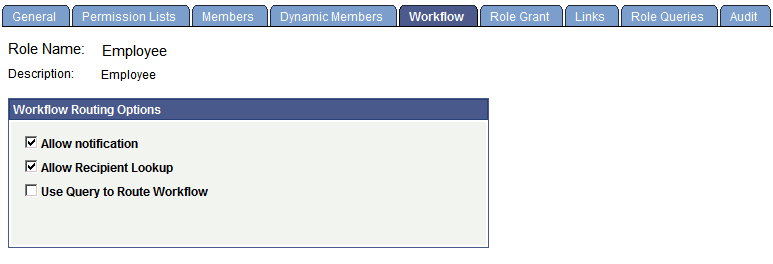
If Allow Recipient Lookup is selected, all users in the role can search for recipients by prompting against the User Profile table or the Lightweight Directory Access Protocol (LDAP) address book.
Set workflow routing options for each user role.
This example illustrates the fields and controls on the Workflow page.
To set workflow routing options:
-
Select PeopleTools, Security, Permissions and Roles, Roles, Workflow.
-
Select the Allow Notification and Allow Recipient Lookup check boxes.
-
Save the page.