Specifying Approval Rule Properties
This section discusses how to specify approval rule properties.
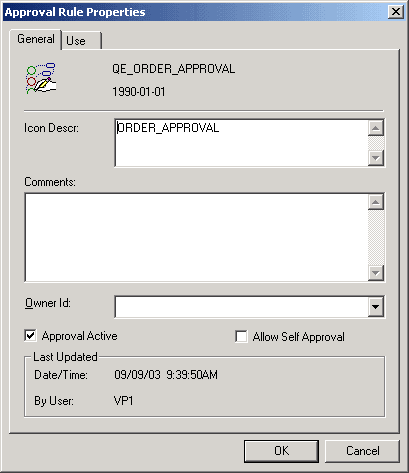
This example illustrates the fields and controls on the Approval Rule Properties dialog box.
To specify approval rule properties:
-
Open the Approval Rule Properties dialog box by selecting File, Definition Properties.
The Approval Rule Properties dialog box appears, displaying the General tab.
-
Enter descriptive information about the approval rule set.
Use the Icon Descr (icon description) field to specify a description that appears next to the rule set’s name in dialog boxes that list approval rule sets.
-
(Optional) Temporarily suspend the use of this approval rule set.
Clear the Approval Active check box to prevent Virtual Approver from checking the approval rules. Instead, it automatically approves all transactions.
-
Specify whether users can approve their own transactions.
Select Allow Self Approval if users are permitted to approve transactions that they entered. Selecting this option does not mean that transactions are automatically approved; self-approval is still subject to the person’s approval limits. For example, if managers can approve purchase requisitions up to 5000 USD, then a manager who submits a requisition for 7500 USD cannot self-approve that requisition, even if you allow self-approval.