Specifying Rule Step Events
This section discusses how to specify rule step events.
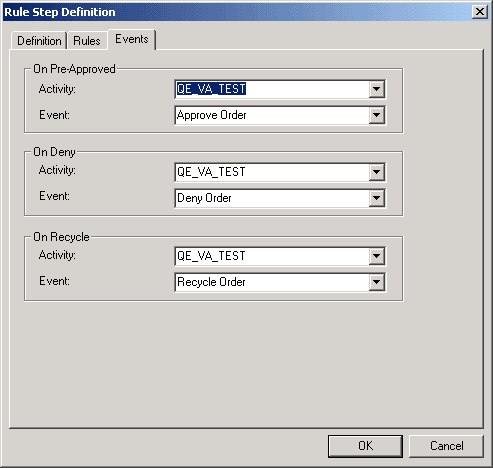
This example illustrates the fields and controls on the Rule Step Definition dialog box, Events tab.
To specify rule step events:
-
Select the Events tab to specify which business events are triggered, depending on the action of the approver at this step.
At each step in an approval process, the person reviewing a transaction has three options: approve it, reject it, or send it back to the previous step (recycle). The Pre-Approved Activity/Event box specifies what happens when the person approves the request. You can also specify deny and recycle activities and events. For example, if a request is denied, you might trigger an event that sends an email message to the requester.
If you don’t select an event for these actions, the system changes the status of the transaction, but doesn’t route it anywhere.
-
In the Pre-Approved Activity/Event group box, select the business event to trigger when this approver approves the transaction.
For the first step in the process, this is the event to trigger when a user enters a new transaction. For subsequent steps, it is the event to trigger when the user who is performing the current step approves the transaction, but it requires further approval. In either case, the event must forward the transaction to the next step. These settings are required; you must identify a pre-approved activity and event.
Define each event as part of an activity in PeopleSoft Application Designer. Select the activity name in the Activity list box and the event name in the Event Name box.
Note:
Virtual Approver triggers this event when the transaction requires further approval, that is, when the user who approves it does not have sufficient authority to make a final approval, according to the rules that you defined on the previous page. If the user has the authority to approve the transaction, Virtual Approver triggers the Approval Activity/Event for this approval rule set, which you specify in the properties for the overall approval rule set.
-
Specify which events to trigger if the user denies or recycles the transaction.
-
Repeat this entire procedure for each step in the approval process.
-
Click OK to close the properties.