Using the Release-Specific Interface Page
Use the release-specific interface page to access each book in this release.
A release-specific interface page on Oracle Help Center provides links to the HTML and PDF versions of each book included with a release or update image.
In this example, the release-specific interface page for PeopleSoft FSCM Update Image 56 is displayed.
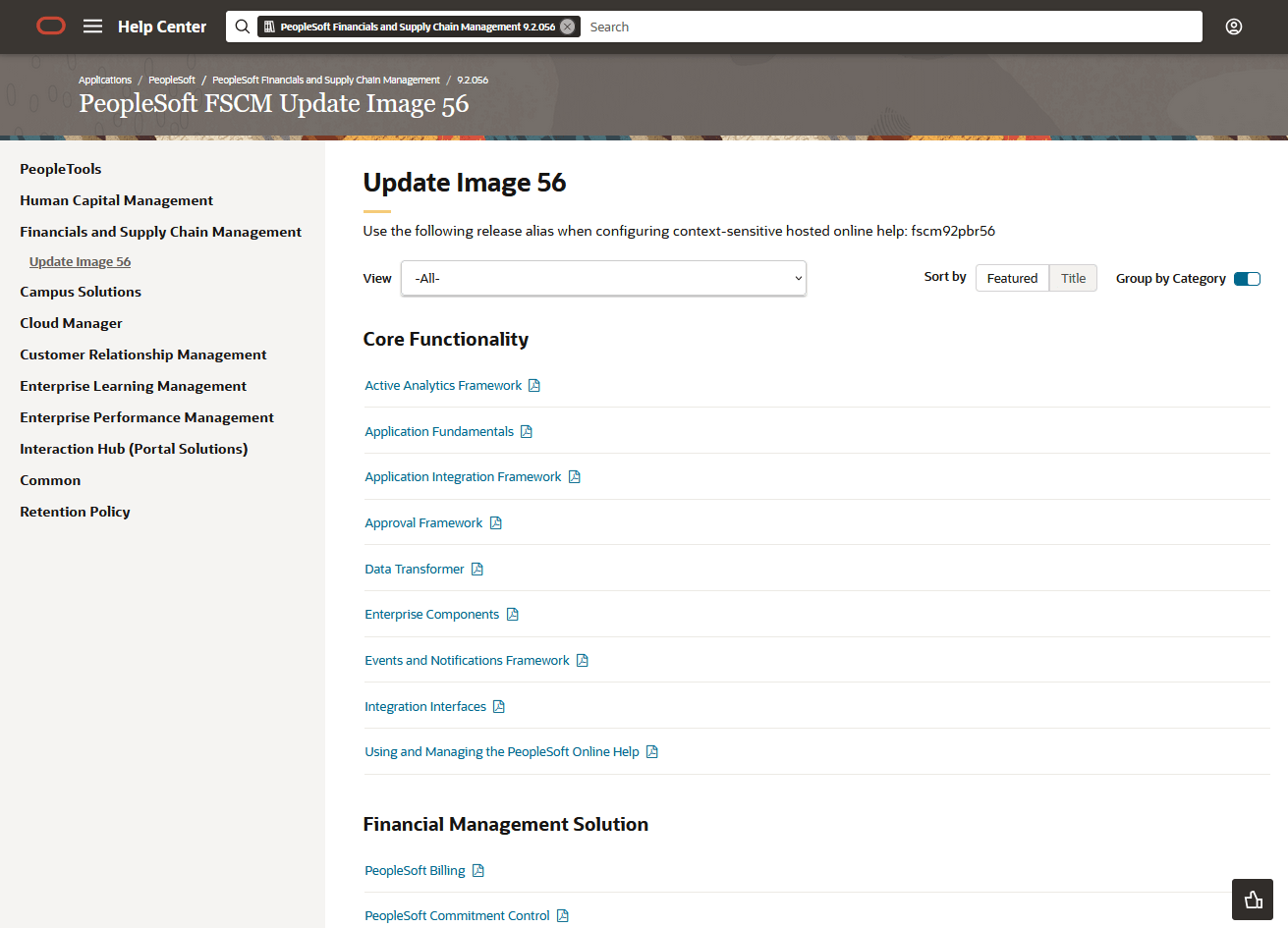
Use the following controls on a release-specific interface page:
| Field or Control | Description |
|---|---|
|
View |
Use the View selector to view all books or only the books in a specific category. |
|
Sort by |
Sort the categories (or books) by:
Note: If Group by Category is deselected, the sort is applied to the book titles. |
|
Group by Category |
Select to toggle whether category titles are displayed. |
|
<Book Title> |
Select a book title to view the HTML pages for a book. |
|
|
Select to download the PDF version of a book. |
