Adoption Centers
Adoption Centers provide a single source of videos, training, best practices, recommendations, and curated Cloud Application features to adopt innovative feature sets. Adoption Centers aren't informational only. Use the Adoption Centers along with Success Navigator's adoption roadmaps to plan how your organization will move to adopt these critical capabilities.:
- AI Adoption Center
- Redwood Adoption Center
- Oracle Cloud EPM
Access Adoption Centers
You can access Adoption centers in two ways:
- To access Adoption Centers from the menu, select Adoption Centers in the menu, and then select AI Adoption Center or Redwood Adoption Center.
- To access Adoption Centers from the home page, scroll to the Featured area in the Innovate section, and then select AI Adoption Center or Redwood Adoption Center.

Redwood Adoption Center
The Redwood Adoption Center is your source for adopting Oracle's innovative Redwood design system. You can access the Redwood Adoption Center from the home page or from the Adoption Centers link on the menu  .
.
Highlights of the Redwood Adoption Center include:
- An introductory video that provides an overview of Redwood.
- Transition to Redwood—This section's four tabs walk you through the process of adopting Redwood from beginning to end. Get product-specific details to help you understand timelines, plan your transition, enable Redwood, and extend it.
-
Explore Curated Redwood Adoption Center Features—View a consolidated list of all Redwood features. For HCM, they are sequenced by the suggested order for adopting Redwood; for other products, the order is not sequential. Each tile represents a product and shows when Redwood features will be available if not already. Select a tile to view a features list with only Redwood features for the selected product. You can understand the impact, access learning, share feature content, and add features to your roadmap from the feature list filtered by the tile.
- Resources—The Resources section provides additional information and links to Redwood blogs, training, and documentation.
Oracle Cloud EPM Adoption Center
The Oracle Cloud EPM Adoption Center brings together practical enablement content to help teams improve financial and operational performance management with Oracle Cloud EPM and AI.
- Guidance to streamline close.
- Guidance to automate reconciliations and reporting.
- Guidance to connect planning across finance and operations.
- Guidance to establish an EPM Center of Excellence, including change management and RACI best practices.
- Resources to help reduce total cost of ownership, accelerate implementations, and improve audit and compliance readiness.
- AI-driven insights and prebuilt dashboards, reports, and tutorials to support better decisions.
Working with Features in Adoption Centers
Each Adoption Center includes a curated list of features that, when implemented, will help you adopt the related capabilities. The features are found in the Explore Curated Adoption Center Features section.
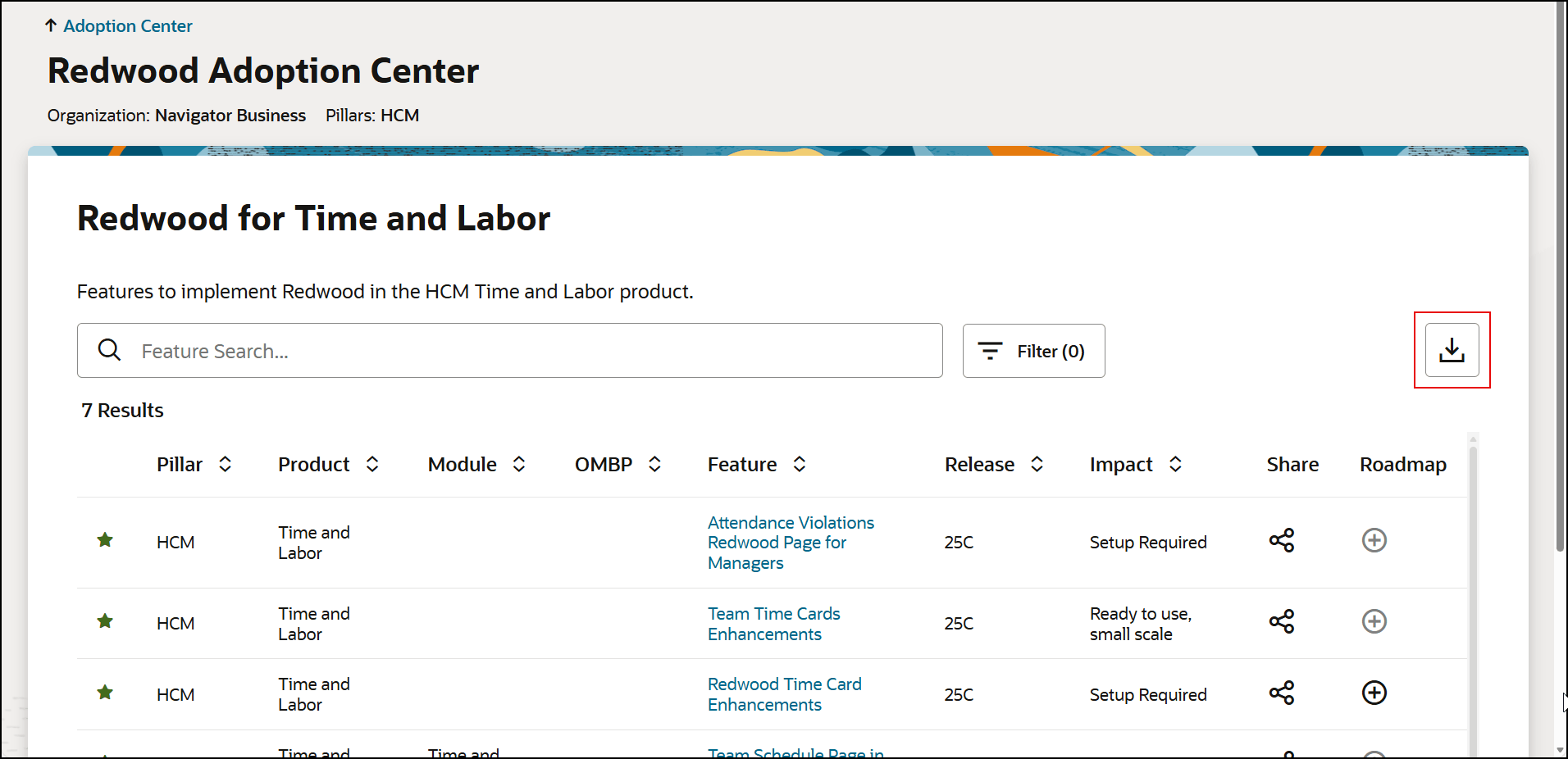
Each card in that section represents a group of features. After you select the card, you'll find a list of features. You can then add those features to your adoption roadmap (see Assess and Adopt Features and Adoption Roadmaps) or export the list to Excel.
Exporting Features
- Go an Adoption Center page.
- Navigate to the Explore Curated Adoption Center Features section.
- Use the tabs to find features by pillar and product.
- Select the feature group card that you're interested in.
- On the feature list page, select the Export button.
Note:
- The exported Excel file includes all currently visible (filtered) features and uses the same columns and order as the Feature Innovation page export.
- The file name will include the theme feature name and a timestamp.
- If filters are applied, only features displayed on the page will be included in the export.