Learn about Business Processes
Success Navigator provides access to Business Processes through the Learn about Business Processes experience.
Which illustrates common business processes optimized to take advantage of Oracle Cloud Applications and technologies. These business processes are embedded in the Starter Configurations that you can request and explore in Success Navigator. Business process in Success Navigator helps familiarize yourself with the learning content relevant to your project's scope.
This helps you understand business process models, personas, use cases, leading practices, and KPIs for the selected business processes.
The learning content is designed to help you understand these business processes and apply them as you explore Starter Configuration.
Business Processes in Success Navigator
- Detailed business processes aligned to your Starter Configuration
- Overview and training videos for business processes
- Process diagrams across different levels
- Step-by-step guides for Level 3 processes
- Persona definitions and associated responsibilities
- Leading practices and reporting insights
- Country-specific content (for example, US, IN, UK) based on your selected countr
When to Use the Learning Content
- Before exploring: Review business process descriptions, diagrams, and videos to understand flows, roles, and key activities
- During exploration: Use step-by-step guides to follow and replay business scenarios in the Starter Configuration
- After exploring: Refer to KPIs, reports, and leading practices to validate outcomes and support decision-making
Access Business Processes
You can access Business Processes from the home page or the menu.
- To access Business Processes from the home page, select Learn about Business Processes in the Implement section.
- To access Business Processes from the navigation menu, select Business Processes.
Access Business Process Details
The business processes are categorized as:
- Level 0
- Level 1
- Level 2
- Level 3
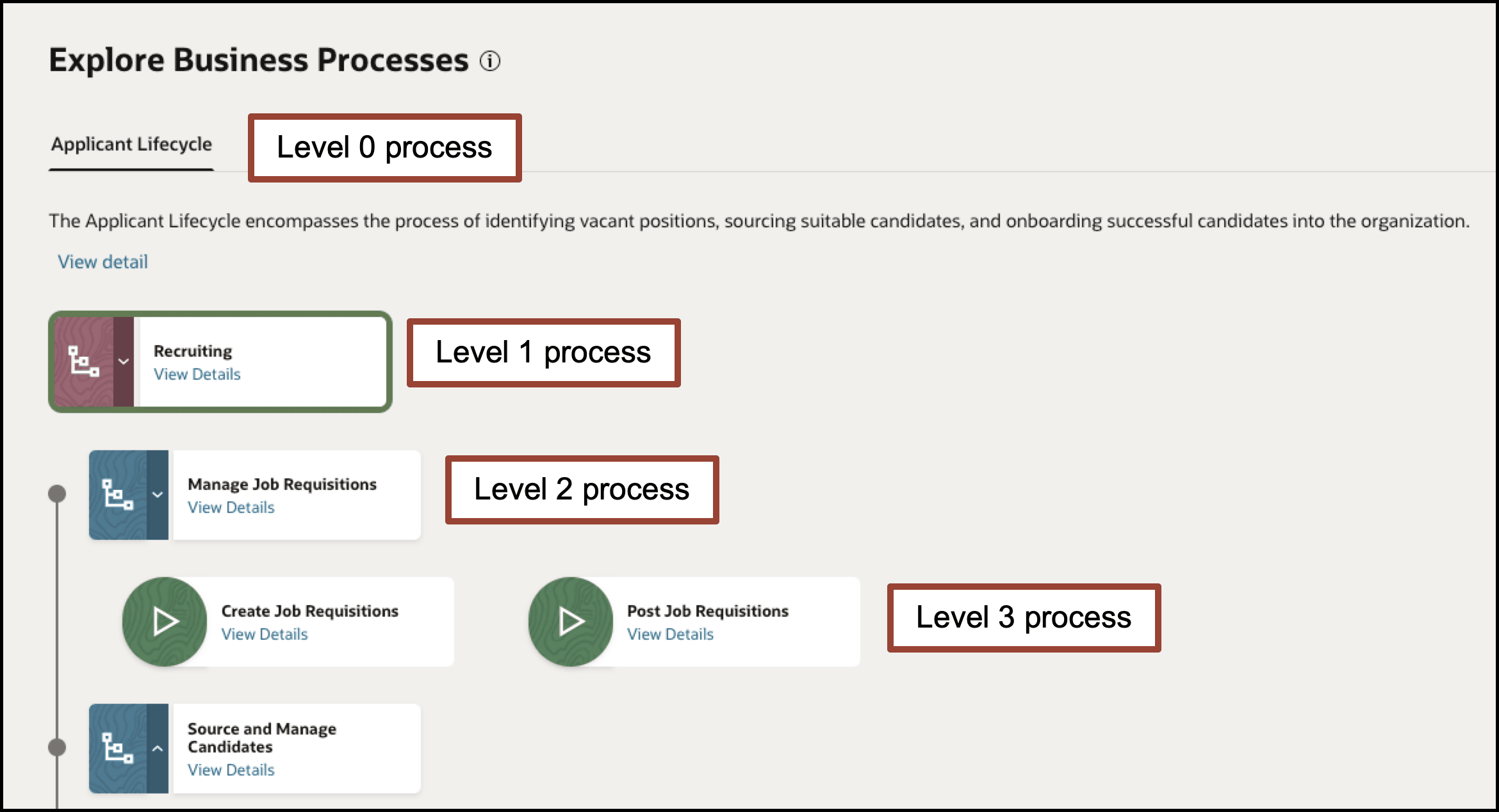
To access process details
- Access Business Processes.
- Select your Pillar and Country.
Note:
Level 3 processes, Personas, and Leading Practices include country-specific content identified by a country tag. If the Country you select here includes localized content, you'll see the associated country tag. - Scroll down to the Business processes section, and then select View Details for the business process you want to explore.
- At the top of the page, view the process diagram and video for the high-level business process.
- Select the Level 0 process if more than one are available.
- Select View Details on a Level 1 process to see a description of the process.
- Select View Details on a Level 2 process to see short descriptions, process diagrams, or videos with more details.
- Select View Details on a Level 3 process to see a use case description, videos, step-by-step guides.
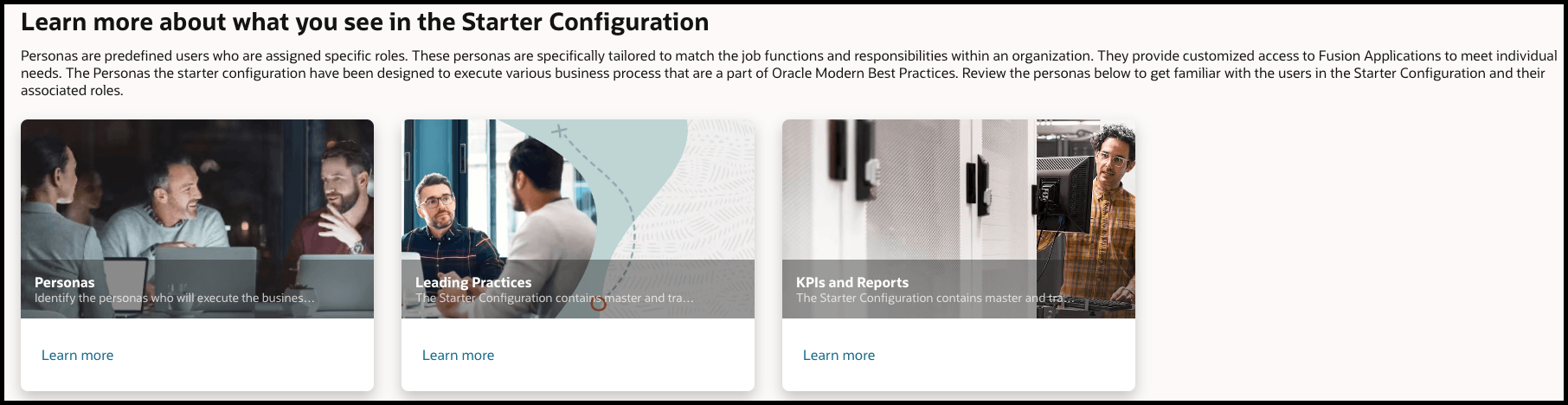
Learn About your Starter Configuration Personas, Leading Practices, KPIs, and Reports
Business Process includes important information about your Starter Configuration. To access the information, click Learn More on the related topic at the bottom of the Business Process page.
Note:
The Personas listed are all US tagged personas which align with personas referenced in business process training videos.