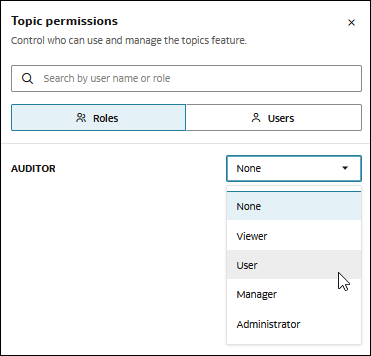
Change or Revoke Access to the Topics Feature
As an Agent Hub administrator, you can change or revoke access when a role or user no longer needs its current level of access to the Topics feature.
Changing or revoking Topics feature access can affect the user's ability to work with individual topics, even if the user still has access to those topics.
For information about Topics feature access levels, see Understand Topic-Based Access.
- Open Agent Hub.
- At the bottom of the navigation panel, click your user name, and then click Administration.
- In the Administration page, go to Topic permissions and click Set permission.
- Select Roles or Users, depending on the type of access you want to change.
- Locate the user or role whose access you want to change.
- Do one of the following:
- To change access, select the new access level.
- To revoke access, set the access level to None.
- Click Save.