Grant Access to the Topics Feature
As an Agent Hub administrator, you can grant users or roles access to the Topics feature to control what business users can do with topics in Agent Hub.
Access to the Topics feature doesn't automatically provide access to an individual topic. A topic administrator separately grants access to specific topics.
For information about the two levels of topic access, see Understand Topic-Based Access.
For information about granting access to an individual topic, see Grant Users or Roles Access to a Topic.
- Open Agent Hub.
- At the bottom of the navigation panel, click your user name, and then click Administration.
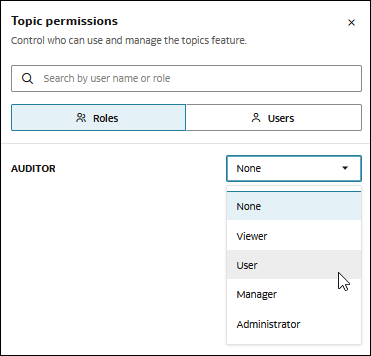
- In the Administration page, go to Topic permissions and click Set permission.
- Select Roles or Users, depending on how you want to grant access.
- Locate the role or user that you want to grant access to.
- Select the appropriate access level:
- None: The role or user doesn't have access to the Topics feature.
- Viewer: The role or user can view topics where the applicable individual-topic access permits it.
- User: The role or user can use topics where the applicable individual-topic access permits it.
- Manager: The role or user can manage topics where the applicable individual-topic access permits it, including updating topic information and managing associated AI resources.
- Administrator: The role or user has administrative capabilities for topics.
- Click Save.