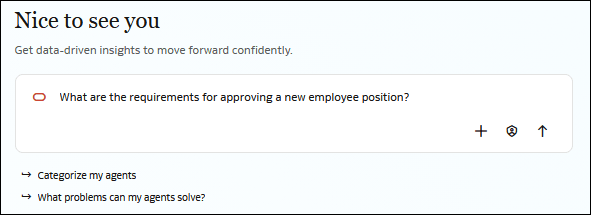
Enter a Prompt
Enter a prompt when you want Agent Hub to determine how to handle your request.
When you start a chat without selecting or tagging a particular agent, the orchestrator evaluates each request and determines which available agent or tool to use. Different agents can handle successive requests within the same conversation.
Depending on your request and approval settings, Agent Hub can:
- Route the request to an agent: The orchestrator identifies an agent whose capabilities match your request and routes the request to that agent.
- Present agents for selection: When agent selection is required, Agent Hub presents recommended agents. You can select a recommended agent or choose another available agent.
- Invoke a tool: The orchestrator identifies and invokes an appropriate tool to process your request.
- Provide a direct response: If your request doesn't require a specialized agent or tool, Agent Hub can respond directly using its configured large language model (LLM).
Depending on your approval setting, Agent Hub might ask you to select an agent before continuing or automatically use the agent it identifies as the best match.
- Click the prompt field and type your chat question or request. For example, What are the requirements for approving a new employee position?
- Optional: Click Attach
 if you want to provide your chat with additional context that it can use when processing your request.
- Click Send
 . Agent Hub evaluates your prompt and determines whether to invoke an appropriate agent or tool, present agents for selection, or provide a direct response. Whether Agent Hub presents agent selection depends on your approval setting.