Overview of Content Management
Oracle Analytics enables you to view and manage Oracle Analytics content. For example, if an employee leaves an organization, you can reassign their workbooks and machine learning models to a different employee.
As an administrator, you can use the Content Management page to view, manage, and change ownership for all content types. 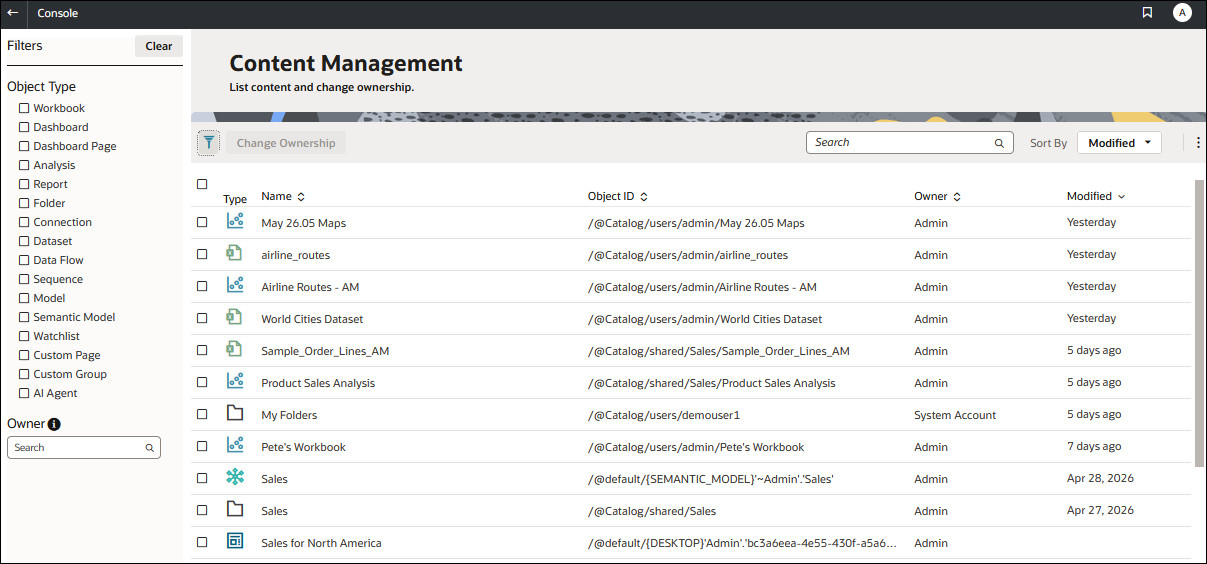
From the Actions menu for each item, you can also use the Open in Classic Catalog option to display the catalog folder where the item is stored so that you can make other configuration changes. For example, to change an item's properties or permissions, hover over over the item, click Actions at the far right-hand side, and click Open in Classic Catalog. Note: You need to own the item to see the Open in Classic Catalog option.
About Content Ownership
- Yourself, as administrator.
- A different user.
- Every user with a specific application role (some restrictions apply, see Frequently Asked Questions About Content Management).
- If you own an object with an Object ID prefixed with /@Catalog/, you can review the properties of that object and change permissions even if you have no other permissions on it.
- If you own an object with an Object ID prefixed with /@default/, you always have full permissions on that object.