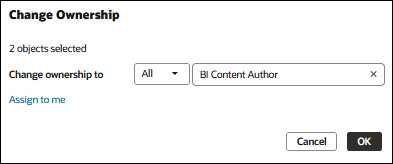
Change Ownership of Content
You can change the ownership of Oracle Analytics content from the Console. For example, if an employee leaves your organization, you can reassign their workbooks and machine learning models to different employees so that they can use them.
Changing ownership enables you to reuse analytics content if the original content author is no longer in your organization. You can also quickly provide analytics users with access to analytics content.
Depending on the object, you can assign ownership to yourself, another user, or a role:
- If you select an object with an object ID that starts with /@default/, you can assign it to another user.
- If you select an object with an object ID that starts with /@Catalog/, you can assign it to another user or to an application role.
- If you want to assign multiple objects to an application role, make sure you select only objects with object IDs starting with /@Catalog/.
To change ownership of content in a user's private folder, see Change Ownership of Content in a User's Private Folder.
- On your home page, click Navigator
 , then click Console.
 - Click Content Management.
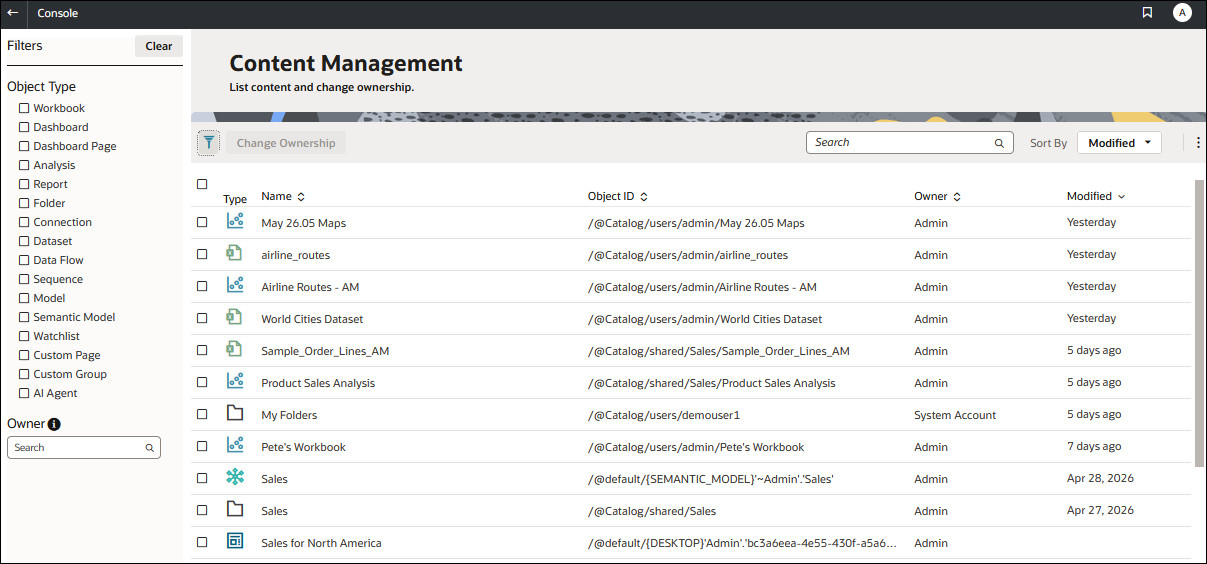
- Click Change Ownership.