Automatically Rename Logical Columns
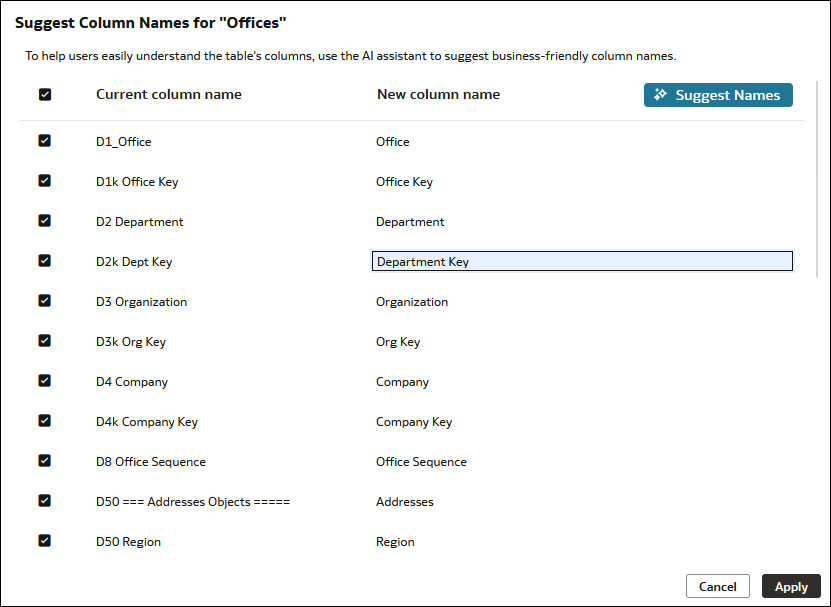
You can choose a logical table and automatically rename all or selected logical columns to business-friendly names.
Renaming columns in logical tables rather than presentation tables is a best practice for model maintainability. Using friendly names for logical columns ensures reuse in multiple subject areas and that the names persist even when you need to delete and re-create subject areas to incorporate changes to your business model.
- On your home page, click Navigator
 and then click Semantic
Models.
and then click Semantic
Models. - In the Semantic Models page, click a semantic model to open it.
- Click Logical Layer
 .
. - In the Logical Layer pane, browse for and double-click the table with the column you want to rename.
- In the logical table, click the Columns tab and click Rename Columns
 .
. - In Suggest Column Names, deselect any columns you don't want to rename. Click Suggest Names.
- Click a column's suggested new name to modify it.
- Click Apply, and then click Save.