Add or Remove Columns in Tables or Pivots
In Oracle Analytics, you can add or remove columns used in table and pivot visualizations to explore the data further.
If your content author has enabled adding and removing columns for a table or pivot visualization, you can choose which columns to add or remove from a list curated by the author.
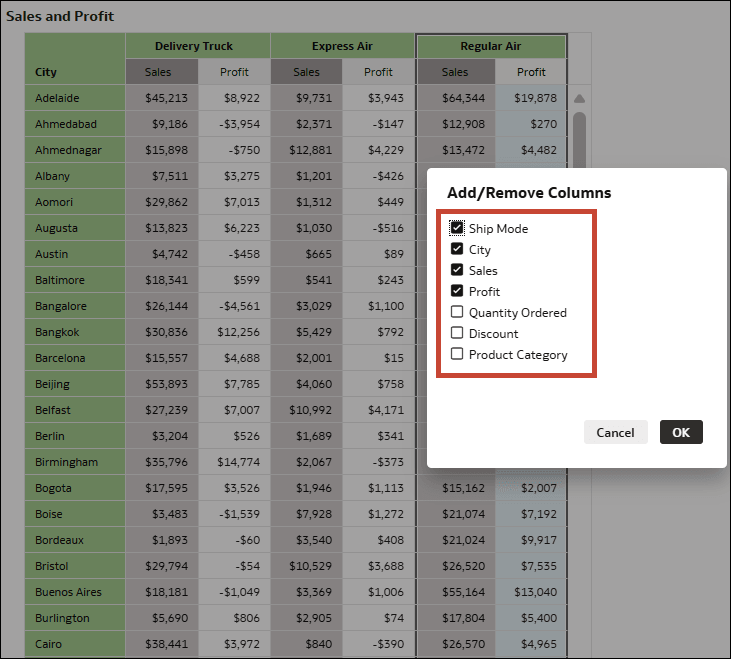
For example, you might have a pivot visualization showing sales and profit numbers for cities based on the shipping method. This visualization is using the columns City, Ship Mode, Sales, and Profit.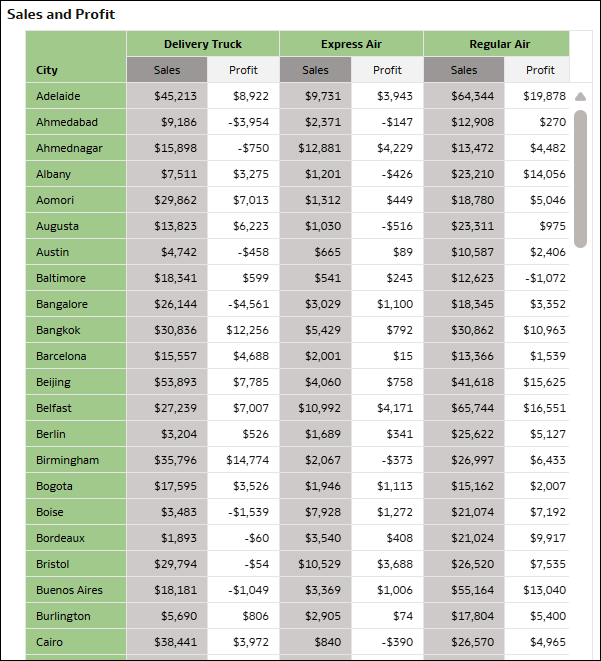
Description of the illustration add_remove_column_example1.png
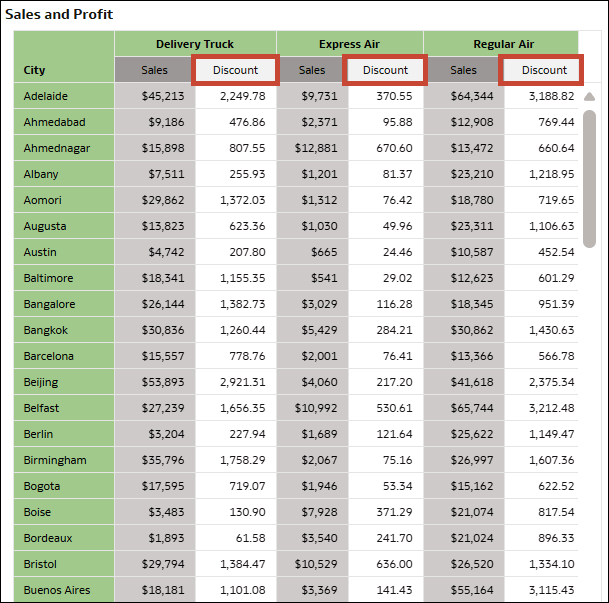
If adding columns is enabled, you can right click any of these columns and add additional columns from a list curated by the author. You can also choose to remove any columns. This way, you can display only the data you find most useful in the visualization.
The changes you make to the visualization are only temporary for your session, you can't save them in a workbook state.
- On your home page, hover over a workbook, click Actions, and select Open.
- In a table or pivot visualization, right click a column and select Add/Remove Columns from the menu.
- In the list of available columns, select the columns you want to add to the visualization and deselect the ones you want to remove.