Create a Range Area Chart
Add a Range Area visualization to your workbook.
To create a range area chart, you need the following columns:
- An attribute or date column for the x-axis
- A measure column representing the start value for the range
- A measure column representing the end value for the range
For example, you can create a range area chart to see the temperature ranges for the first half of the month of January. You can use measure columns representing low temperatures for the start values and high temperatures for the end values, and a date column for the category on the x-axis.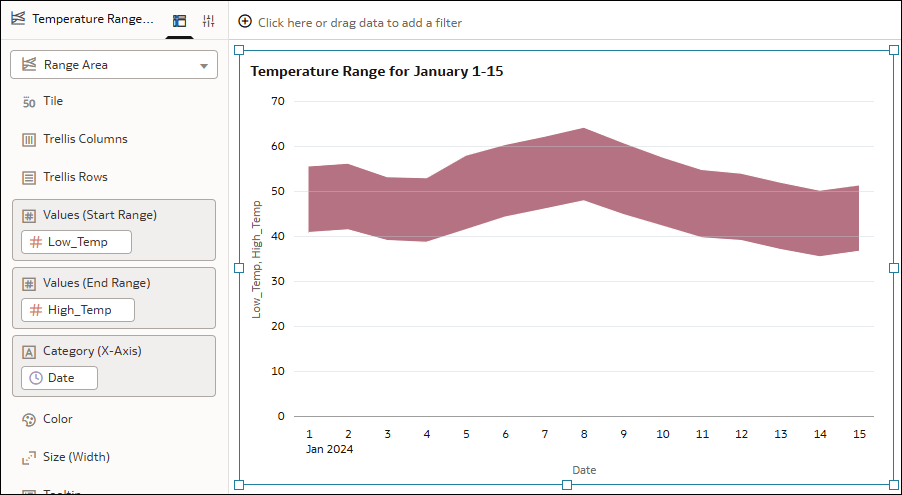
Description of the illustration range_area_example.png
- On your home page, hover over a workbook, click Actions, and select Open.
- In the Data pane, click Visualizations.
- Under Line, drag Range Area
 to the canvas.
 - Click Data and drag an attribute or date column to Category (X-Axis) in the Grammar pane.
- Drag a measure column to Values (Start Range).
- Drag a corresponding measure column to Values (End Range).
- Click Save.