Compare Multiple Ranges in a Range Chart
Add additional ranges to a range chart when you want to compare two or more spans of values in the same visualization.
To display two or more ranges, your data must contain additional pairs of measure columns for the same category values.
For example, if you have a range bar chart showing the temperature ranges for different regions, you can also add a humidity level range.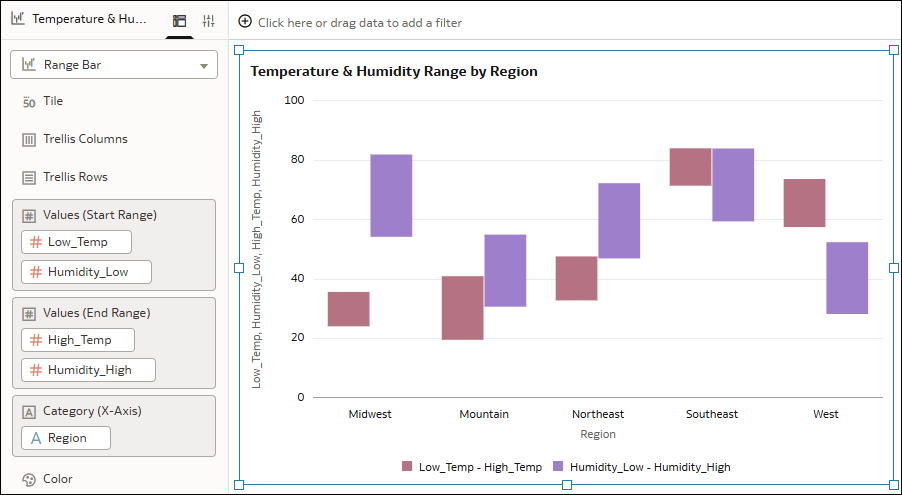
Description of the illustration range_bar_multiple_range_example.png
Oracle Analytics automatically provides a visualization legend using color for the different ranges.
- On your home page, hover over a workbook, click Actions, and select Open.
- Click the range chart visualization to select it.
- In the Data pane, drag a measure column to Values (Start Range) underneath the existing column.
- Drag a corresponding measure column to Values (End Range) underneath the existing column.
- Click Save.