Create a Shared Calculation
Create a shared calculation so that colleagues can reuse it across workbooks.
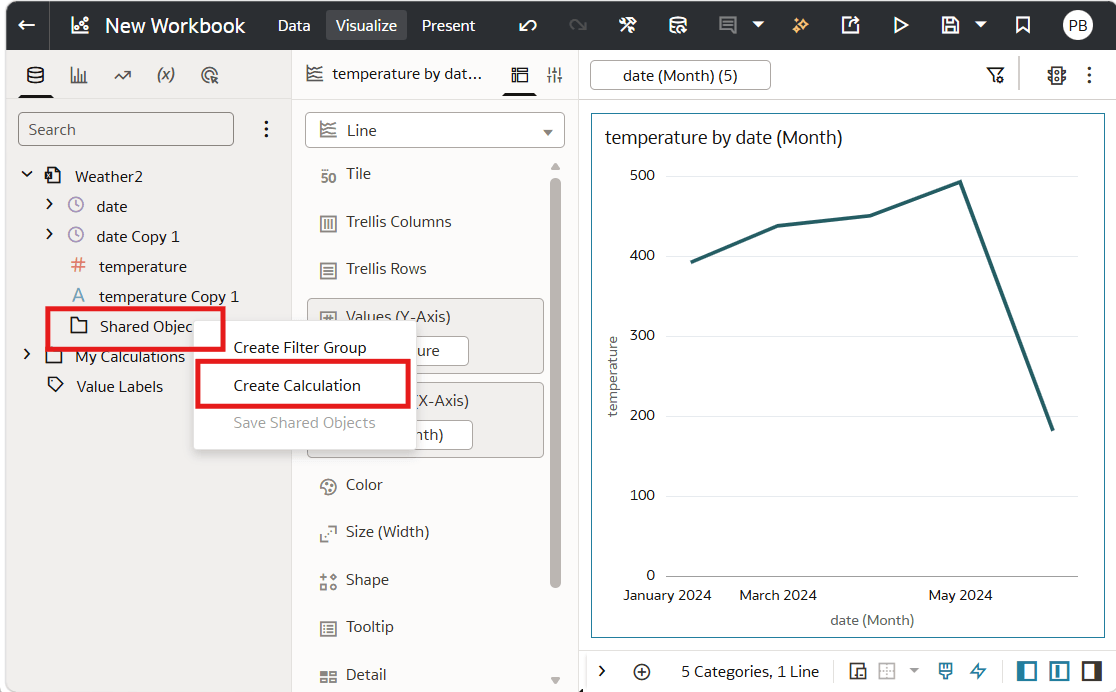
You can create a shared calculation directly in the Shared Objects folder in the Data Panel. When you do this, the calculation is created as a shared object, but isn't actually used in your workbook.
You can also make an existing calculation sharable by dragging it from the My Calculations folder to the Shared Objects folder. Delete a calculation to stop sharing it.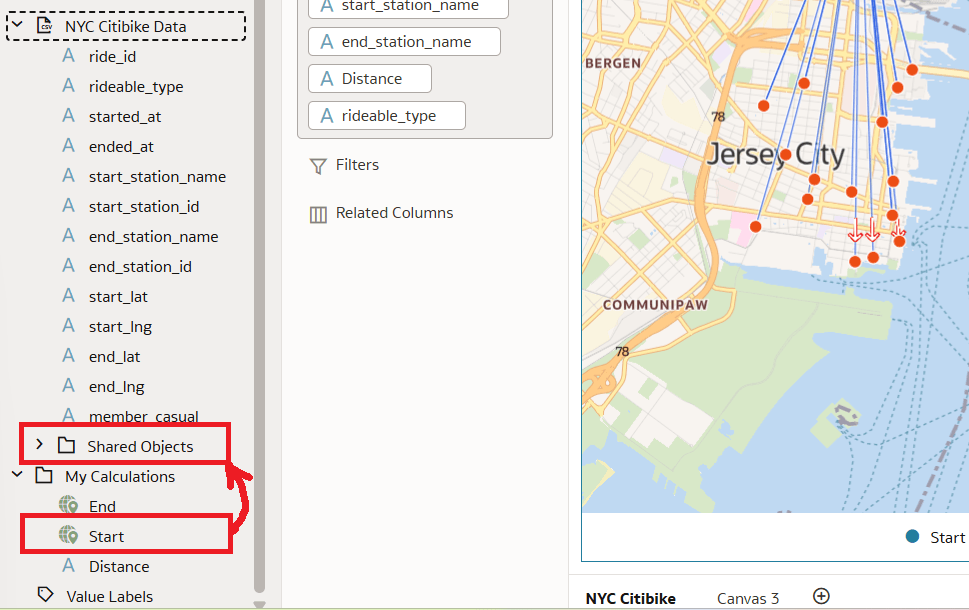
Description of the illustration dragndropcalcs.png
- On your home page, hover over a workbook, click Actions, and select Open.
- In the Data Pane, right-click to the Shared Objects folder and click Create Calculation.
- Create and validate your calculation.
- Click Save.