About the Dataset Used in an AI Agent
In Oracle Analytics, you can associate any dataset with an AI agent.
Oracle Analytics Cloud allows one dataset per AI agent. You can use a dataset based on a file, a table, or multi-table from a connection, a local subject area, or subject area.
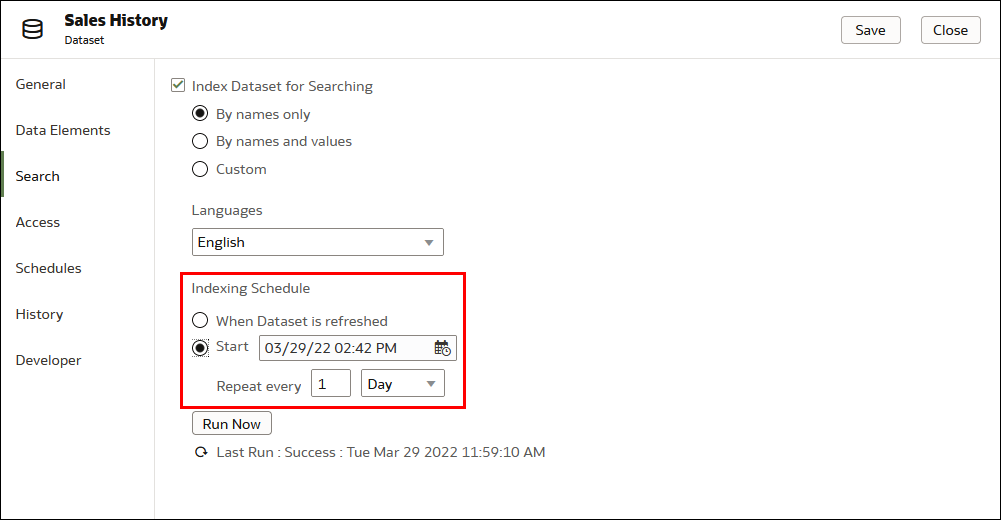
When you associate a dataset with an AI agent, you must ensure the dataset is indexed for use with the Oracle Analytics AI Assistant. See Make Data Available for Oracle Analytics AI Assistant for more information on making data available for the Oracle Analytics AI Assistant.
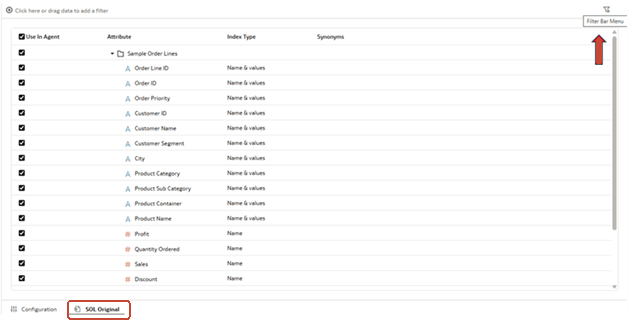
In the AI agent editor, you can preview the dataset's metadata, which includes the full list of available columns and the Index Type and Synonyms configured for each column. Use this editor to select a subset of columns and define agent specific filters.
Column Subsetting
You can activate or deactivate any indexed column to control which fields the agent can reference when answering questions. If a user asks about a column that isn’t activated, the Oracle Analytics AI Assistant won’t respond using that data. Columns that aren’t indexed in the dataset can’t be enabled for the agent and won’t be available for selection.
Agent Filters
You can define data filters specific to the agent. These filters are automatically applied to all user questions processed by the agent and can’t be overridden by consumers. This ensures that all interactions remain within the intended data scope.