Delete a Column in a Dataset
Delete a column to remove it from the dataset stored in Oracle Analytics.
A deleted column is no longer available to any visualization, calculation, or filter that uses that dataset.
Deleted columns aren't available for table joins, whereas hidden columns are. See Hide a Column in a Dataset.
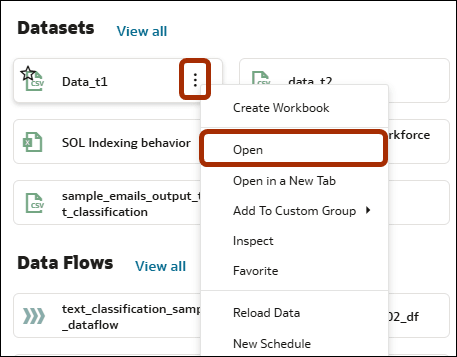
- On your home page, hover over a dataset that you own, click Actions
 , and then select Open
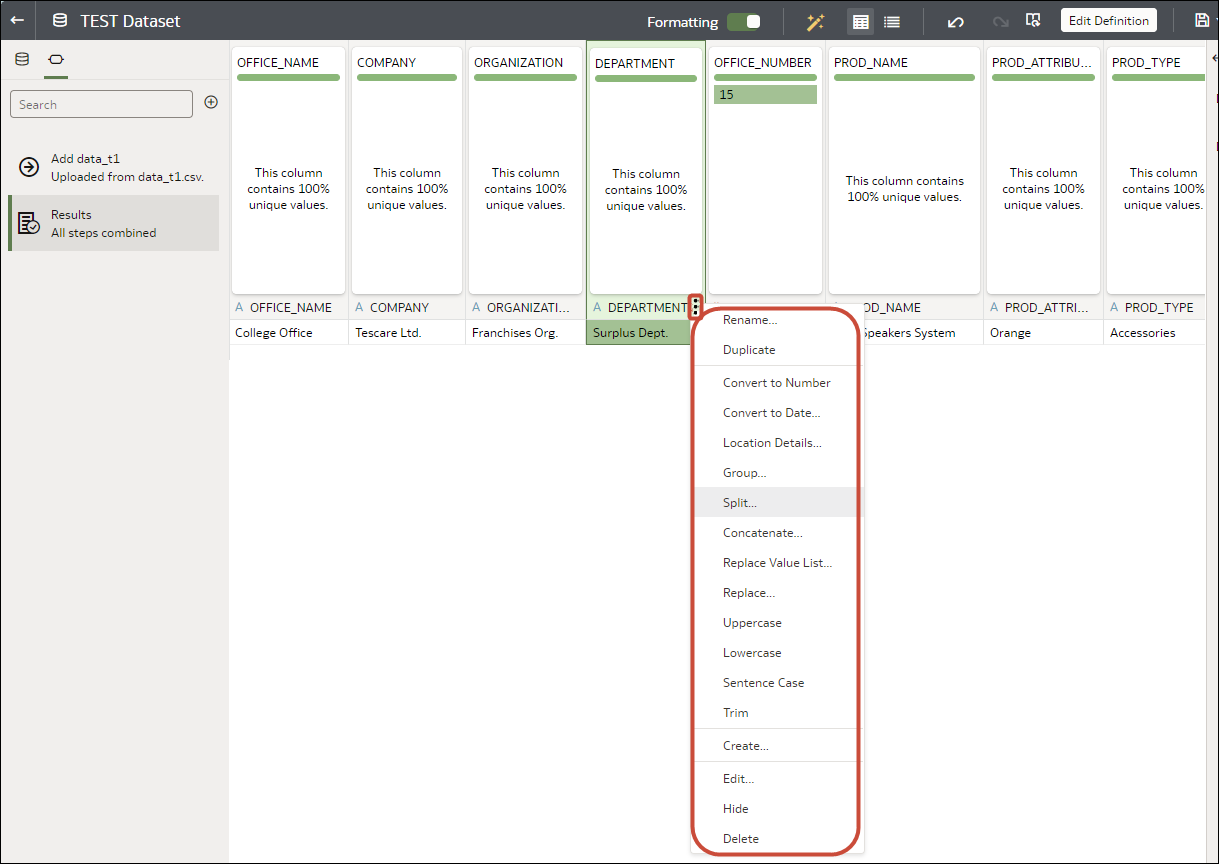
.If the dataset contains a single table, you'll see the transform editor. If the dataset contains multiple tables, you'll see the Join Diagram. In the Join Diagram, right-click a data source and click Open to display the transform editor. - In the transform editor, hover over the column that you want to hide and click Options in the column header.